Voted Top Call Center for 2024 by Forbes

1-888-462-6793
Go Answer Logo
1-888-462-6793

Customer Service Scripts for High-Volume Teams: 25 Call Flows for Intake, Scheduling, Escalations, and Overflow

By Adom Francis

Last modified: September 29, 2026

When inbound volume rises, even capable teams can sound inconsistent. Questions get missed, transfers break, and routine calls turn into avoidable escalations. This guide is for multi-location service businesses, legal intake-heavy firms, healthcare practices, and any operation that needs customer service scripts that protect coverage, intake quality, and caller experience at scale.

You will learn what effective customer service call scripts include, how to structure call center scripts for intake, scheduling, overflow, complaints, and after-hours routing, and how managers can operationalize those scripts across in-house and outsourced teams.

What are customer service scripts? Customer service scripts are structured conversation guides that tell agents how to open a call, verify the caller, gather required details, set expectations, route or resolve the issue, and close cleanly. For high-volume teams, good scripts are flexible call flows, not speeches, to keep service consistent when queues spike.
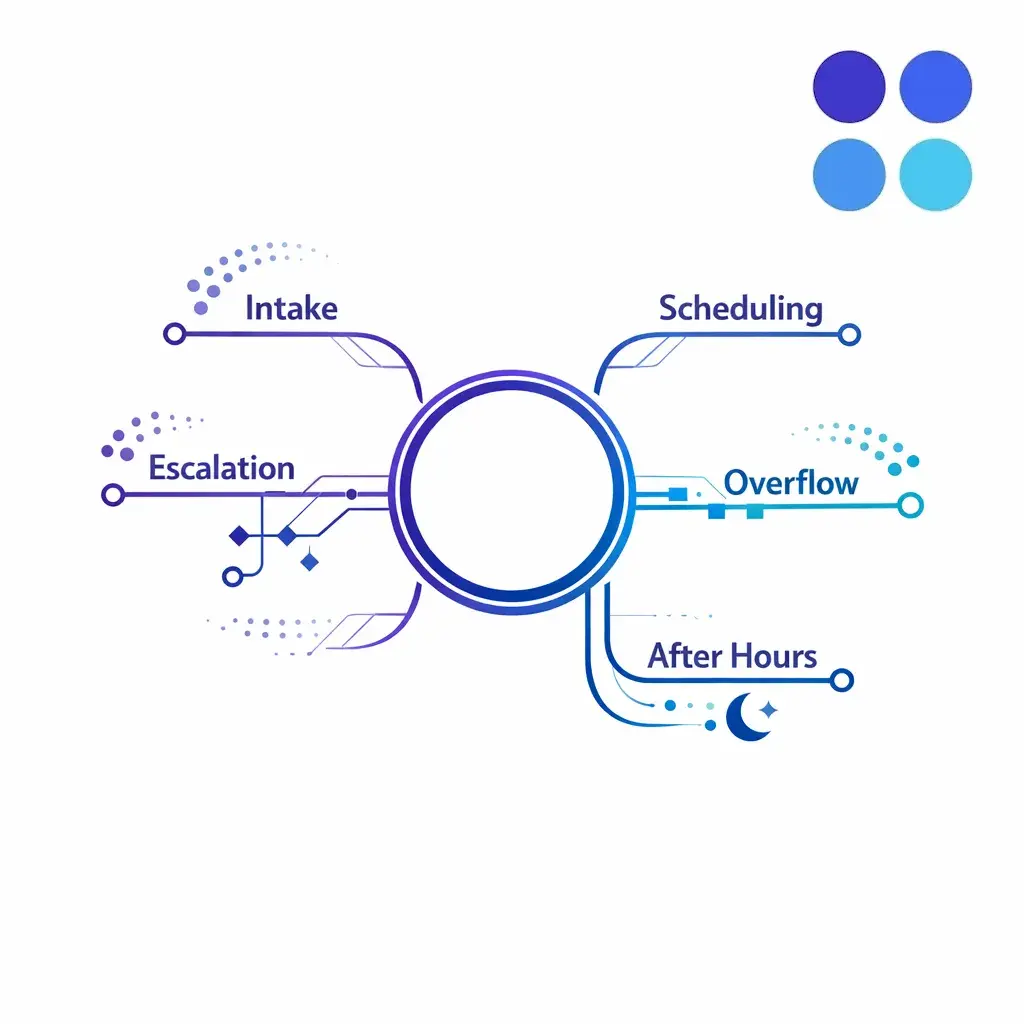
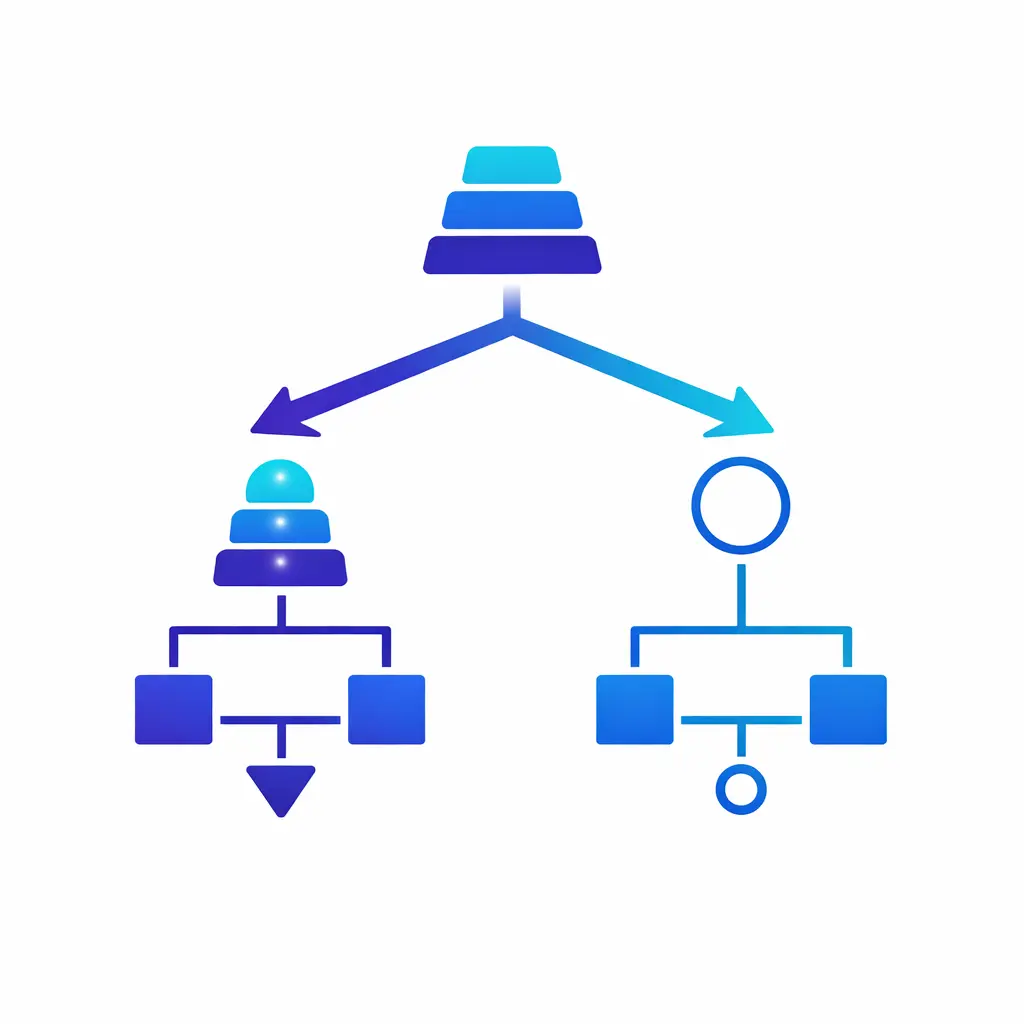
A central call flow diagram branches into intake, scheduling, escalation, overflow, and after-hours paths on a white background.

Good scripts for high-volume teams are call flows, not speeches. One hub branches into intake, scheduling, escalation, overflow, and after-hours paths so agents know what to say, capture, decide, and do next.

What customer service scripts are and why high-volume teams use them

Definition of customer service scripts

Customer service scripts are repeatable frameworks for common conversations. They give agents approved language, required questions, routing logic, and closing statements so important steps do not depend on memory.

The best phone scripts for customer service do not try to predict every sentence. They standardize the moments that matter most: the opening, verification, issue capture, expectation setting, transfer language, and next-step confirmation.
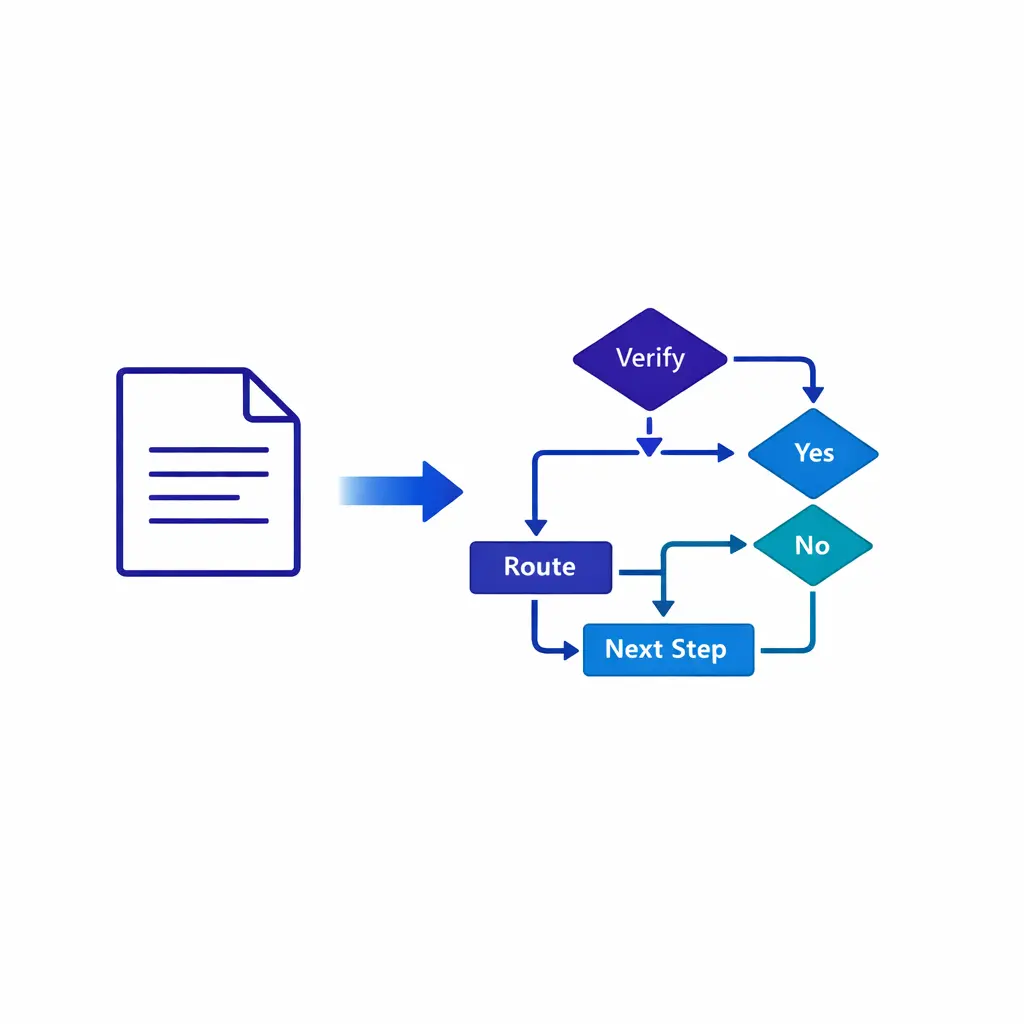
A scripted page transforms into a branching call map with decision nodes and arrows in blue line art.

A script should sound natural, not robotic. Treat it as a shared operating model with guardrails: agents can vary tone and wording, but never skip required fields, compliance language, or handoff steps.

Scripts vs rigid word-for-word reading

A strong script should sound natural when spoken aloud. That means it should provide guardrails, not force agents into a robotic performance.

Think of the script as a shared operating model. Agents can vary tone, pacing, and small wording choices, but they should not skip required fields, compliance language, or handoff steps.
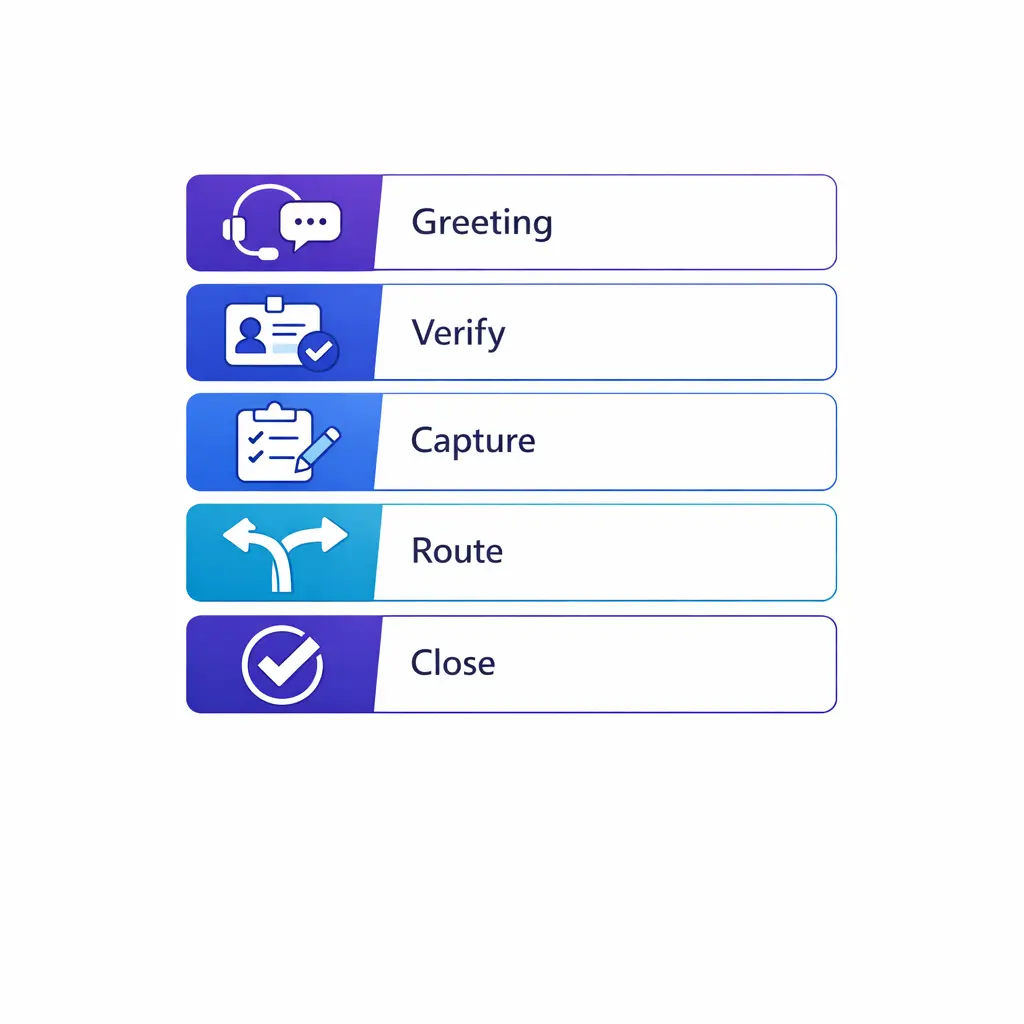
Five stacked modules show greeting, verification, issue capture, routing, and closing in a clean vertical system.

Every high-volume call has five parts: greeting, verification, issue capture, routing, and a clean close. Standardize the moments that matter most and let agents handle the rest naturally.

Why high call volume requires call flows, not just sample phrases

High-volume environments need more than a good greeting. They need branching logic for what happens when the caller is new or existing, urgent or routine, ready to book or only asking questions, calm or upset, during business hours or after hours.

That is why the most useful call center scripts are built as call flows. A call flow tells the agent what to say, what to capture, what to decide, and what to do next.
  • 1. A clear opener. Identify the business, the agent, and the purpose of the interaction fast.
  • 2. Required intake fields. Define the minimum information needed to route, schedule, or resolve the issue.
  • 3. Expectation setting. Tell the caller what will happen next and when.
  • 4. Decision points. Build language for holds, transfers, callbacks, urgent routing, and escalations.
  • 5. A clean close. Confirm next steps, repeat key details, and end without ambiguity.
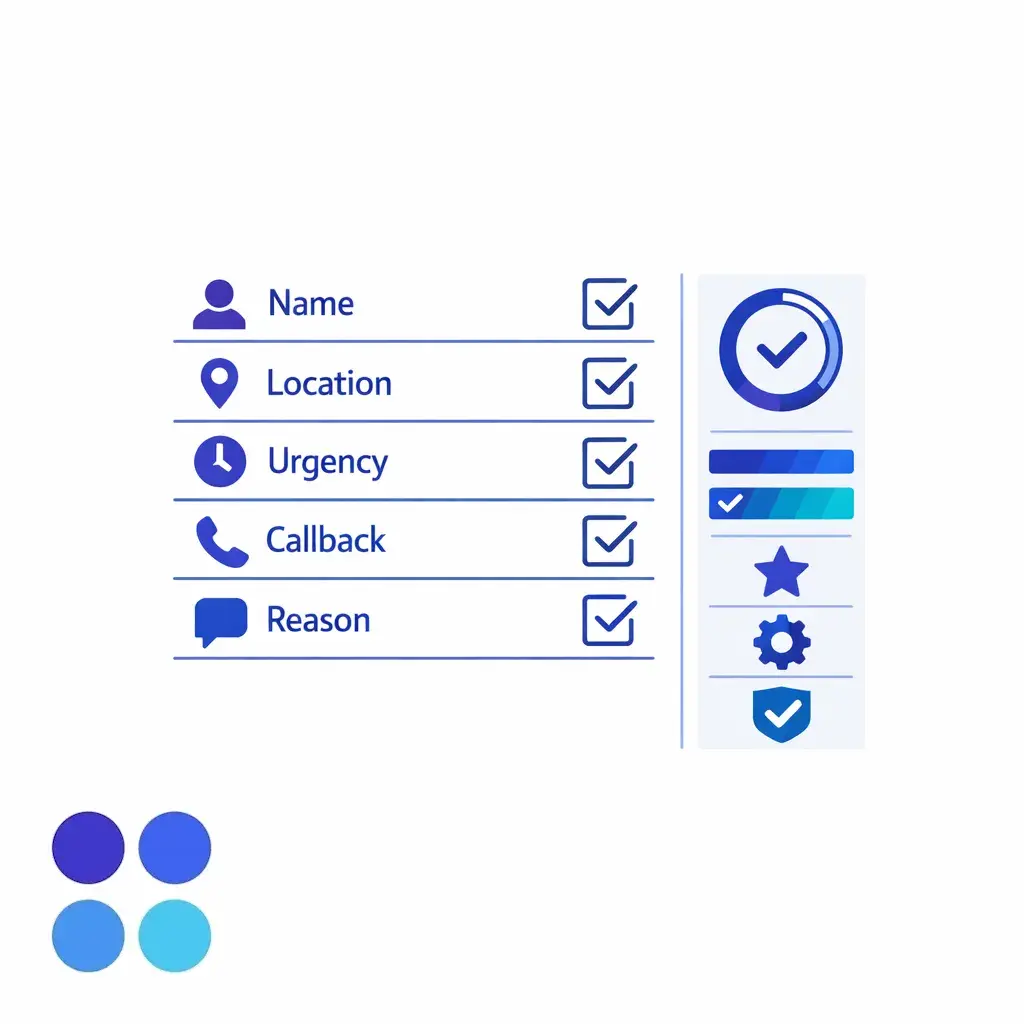
A clean intake checklist grid highlights caller name, location, urgency, callback, and reason for call.

Define the minimum required fields up front — name, location, urgency, callback, and reason for call — so every call can be routed, scheduled, or resolved without missing steps.
Quick reference grid

  • General inquiry. Goal: route quickly. Sample opener: "Thank you for calling [business], this is [name]. How can I help today?" Key fields to capture: caller name, location, reason for call, urgency, callback number.
  • New intake. Goal: collect enough detail for review or follow-up. Sample opener: "I can help get the right details started." Key fields to capture: name, contact information, service need, date or timeline, location, summary of issue.
  • Scheduling. Goal: book or move an appointment. Sample opener: "Let's find the best location and time." Key fields to capture: service type, provider or department, first-time or returning status, preferred dates, preferred location, callback method.
  • Complaint or escalation. Goal: de-escalate and create an actionable next step. Sample opener: "I'm sorry this has been frustrating. Let me understand what happened." Key fields to capture: issue summary, date, location, impact, requested resolution, urgency.
  • After-hours or overflow. Goal: route urgent matters and capture complete messages for everything else. Sample opener: "You've reached us after regular hours, and I can help with the next step." Key fields to capture: reason for call, urgency, best callback number, location, message details, on-call criteria.
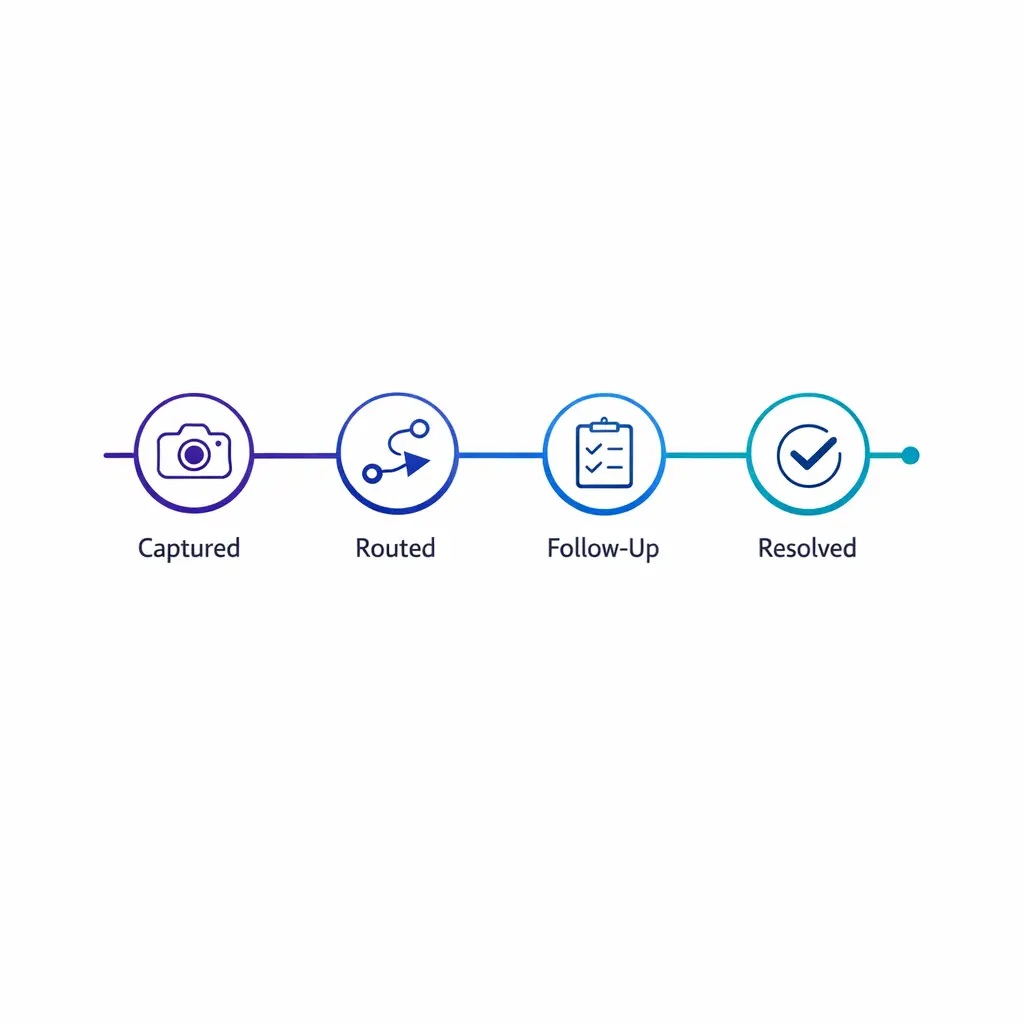
A simple timeline shows who owns the next action and when the caller should expect follow-up.

Set expectations clearly: the caller should leave knowing who owns the next action, what it is, and when it will happen. A simple timeline prevents avoidable repeat calls.

The anatomy of an effective high-volume call flow

Greeting and identification

Your opening should do three things in one sentence: identify the business, identify the agent, and invite the caller to explain the need. A basic answering phone calls script can be as simple as, "Thank you for calling [business], this is [name]. How can I help you today?"

For overflow or after-hours teams, the opener should also explain the context without sounding defensive. The caller should understand that they reached a live team that can help, not a dead-end backup line.
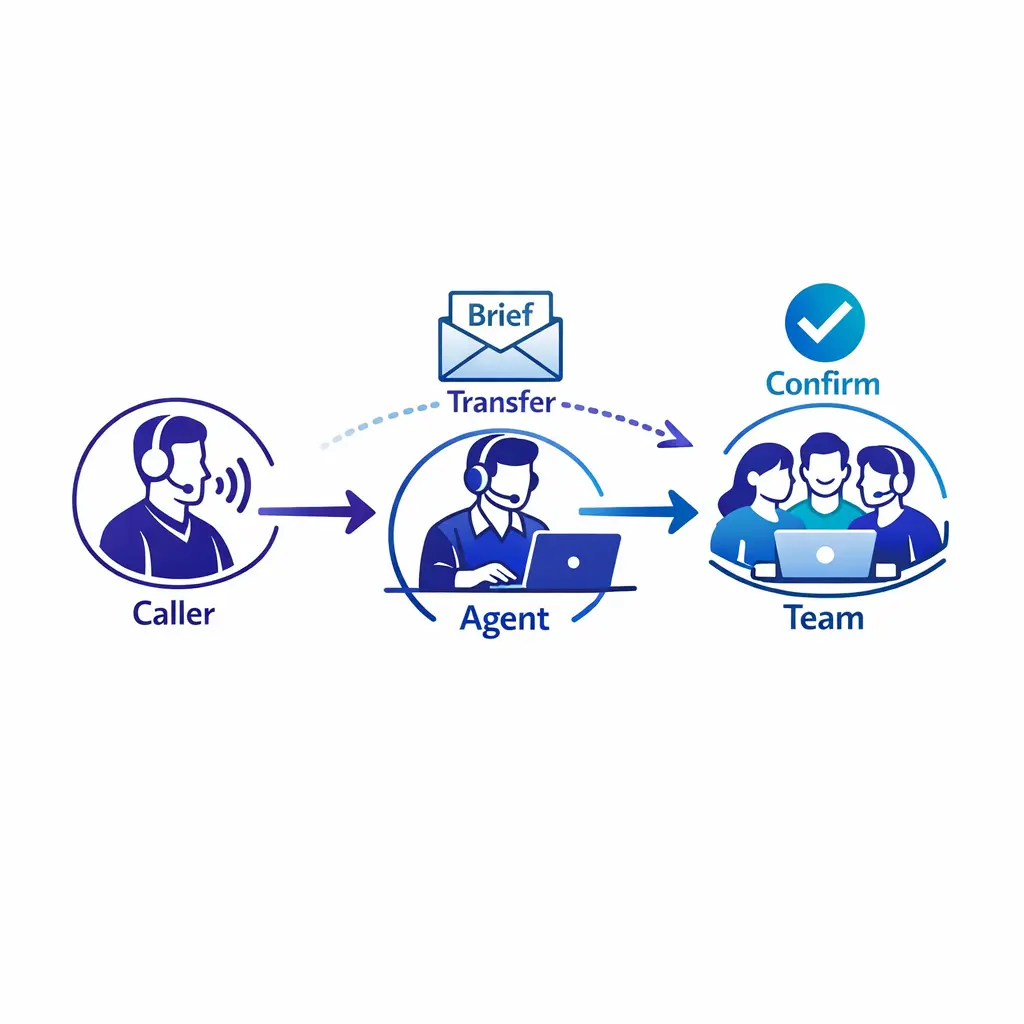
A handoff diagram shows one team briefing another before transferring a caller to reduce repetition.

Warm transfers beat cold ones for emotional, complex, or time-sensitive issues. Brief the receiving party first, then introduce the handoff — even a ten-second summary spares the caller from repeating everything.

Verification and intake questions

Verification questions should be short, predictable, and ordered. Start with the minimum information needed to keep the call moving, then gather deeper details only if the workflow requires them.

In healthcare settings, scripts should reflect the HIPAA Privacy Rule and avoid collecting more than the minimum necessary protected health information under HIPAA. In legal intake, keep the conversation focused on facts and screening details rather than opinions about the case.
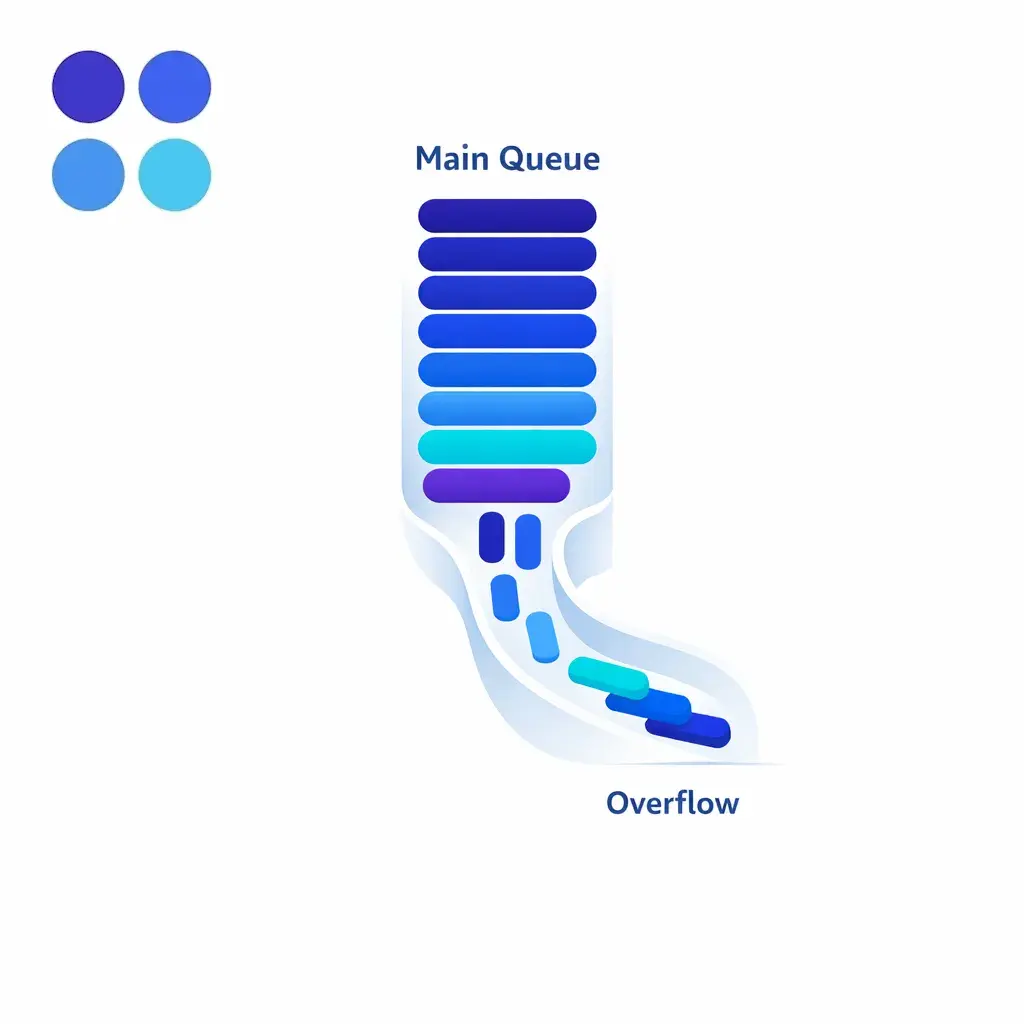
A queue spilling into a backup lane shows overflow coverage maintaining response speed during demand spikes.

Overflow coverage is a safety net, not a dead end. When the main queue spikes, a backup lane keeps response speed steady so callers feel helped, not delayed.

Empathy and expectation setting

Empathy language should acknowledge the caller's situation without over-talking it. Short phrases work best: "I understand," "I'm sorry this has been frustrating," or "I can help with the next step."

Expectation setting matters just as much. The caller should leave knowing who owns the next action, what that action is, and when it should happen.
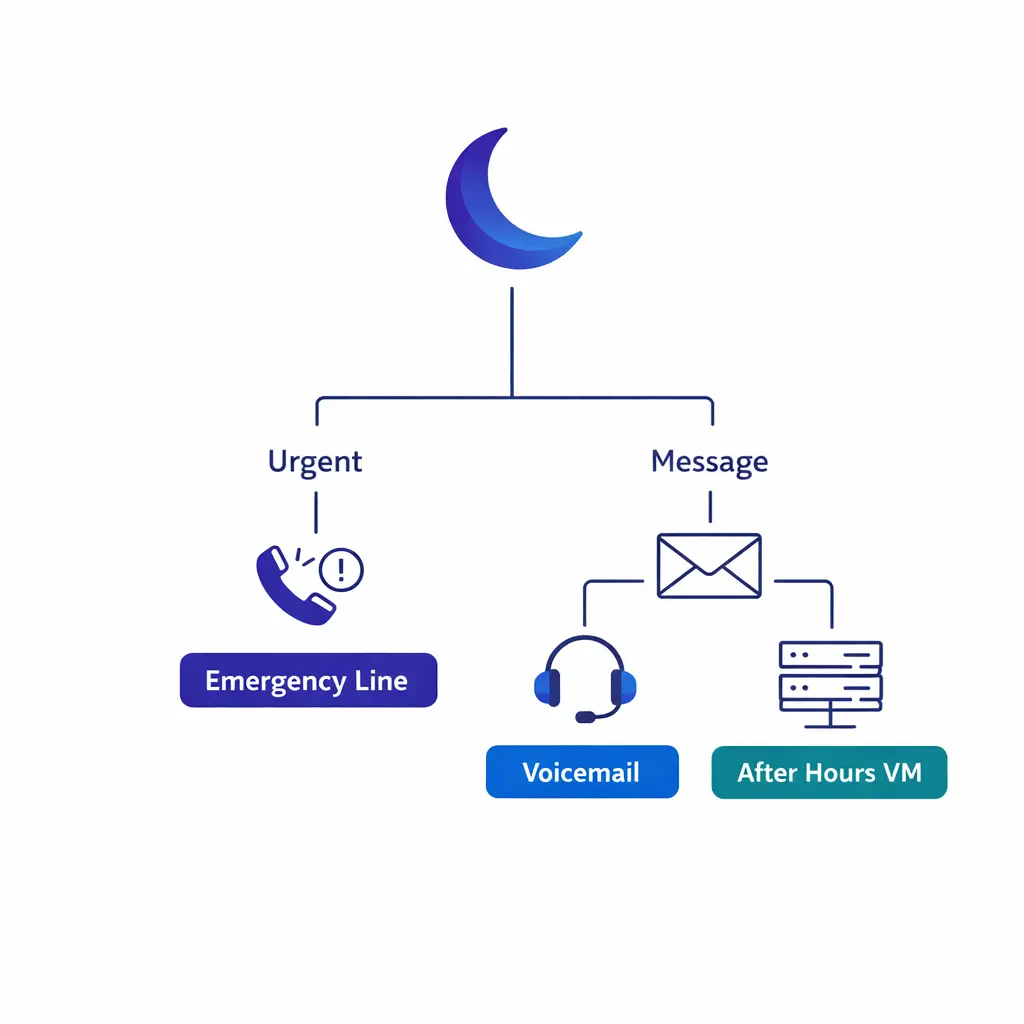
A moon icon and routing tree separate urgent calls from routine messages in a simple after-hours flow.

After-hours routing should split urgent calls from routine messages with simple, consistent rules: an emergency path for urgent issues and clean message capture for everything else.

Hold, transfer, and escalation language

High-volume teams lose trust when callers are parked on silent holds or transferred without context. Your customer support scripting should include approved language for asking permission to hold, setting a time estimate, briefing the receiving party, and explaining escalation steps.

Warm transfers are usually better than cold transfers when the issue is emotional, complex, or time-sensitive. Even a ten-second internal summary can prevent the caller from repeating the entire story.

A tense jagged shape is calmed into a smooth pathway showing structured de-escalation and next steps.

De-escalation starts by listening without interrupting, then summarizing the issue back before proposing a solution. Structured complaint scripts turn a tense call into a clear next step.

Closing and next-step confirmation

A good closing repeats key details and confirms the next step. That can be an appointment time, a callback window, a department handoff, or a message sent to an on-call contact.

Closing statements should sound final but still helpful. A simple structure is: summary, next step, timeline, and invitation for one final question.
A simple framework for writing customer service scripts

  • 1. Define the scenario. Write a separate script for each high-volume call type instead of one oversized master script.
  • 2. Decide the required fields. List the exact details agents must capture before the call can be routed or closed.
  • 3. Map the decision points. Decide when the agent should answer, schedule, transfer, escalate, message, or promise a callback.
  • 4. Write the language out loud. If a sentence sounds stiff when spoken, shorten it until it sounds conversational.
  • 5. Test and revise. Listen to live calls, find where callers hesitate or agents improvise, and update the flow.
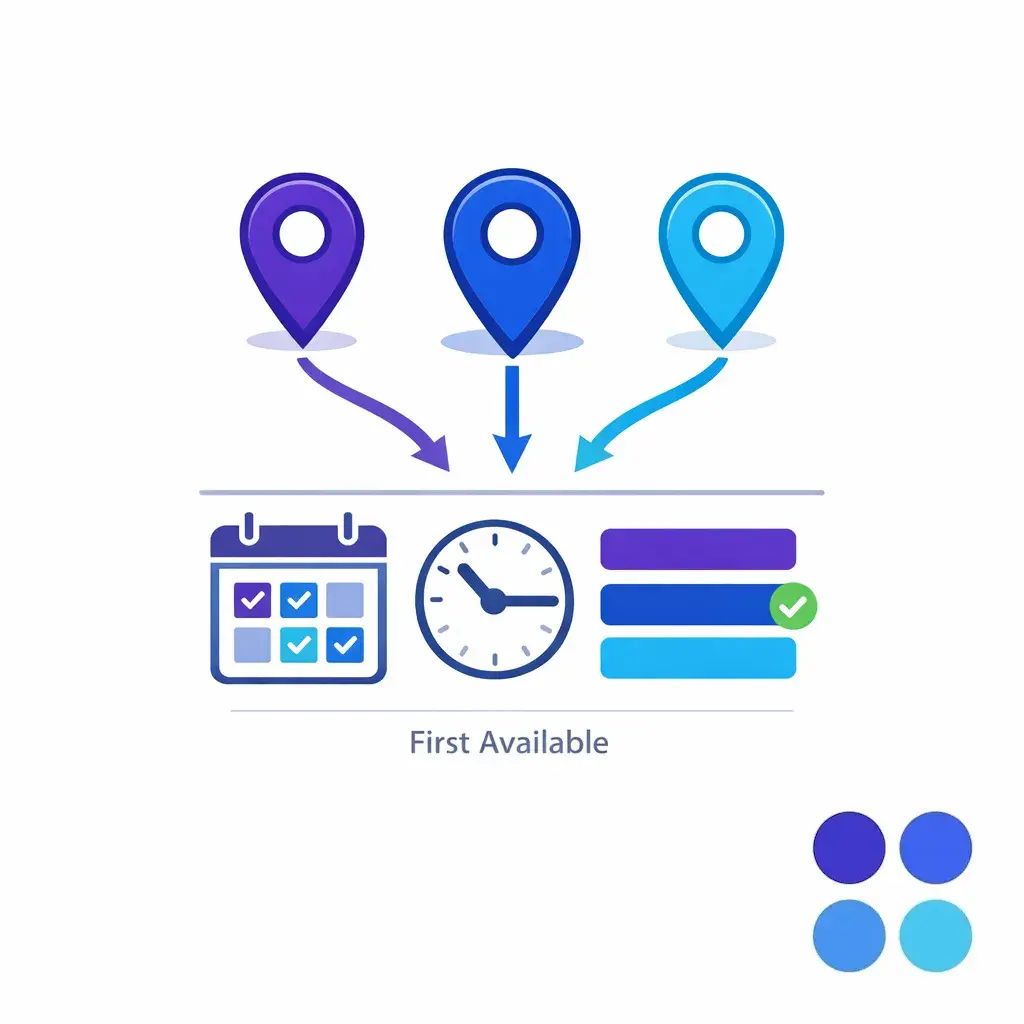
Multiple locations connect to one booking path with date and time nodes for balanced appointment scheduling.

For multi-location scheduling, offer the most convenient location or the first available across all — then read the appointment back with address and check-in details before closing.
25 customer service scripts for high-volume teams

First-response and general inquiry scripts

  • 1. Standard live answer. "Thank you for calling [business], this is [name]. How can I help today?" Capture the caller's name, location, and reason for calling in the first exchange. If the issue is simple, answer or route it quickly.
  • 2. Queue-pressure opener. "Thanks for calling [business]. We're assisting several callers, and I'll move quickly to get this handled." Use this when volume is high and you need a calm, efficient tone. Move immediately into issue capture and next-step selection.
  • 3. Existing customer status request. "I'd be glad to check that for you. May I have your name, phone number, and your order, case, or appointment reference?" Restate the status in plain language and end with the next milestone so the caller knows what to expect.
A split pathway distinguishes urgent routing from routine handling with clear priority signals in blue tones.

Triage separates urgent from routine with clear priority signals. Urgent matters get the fastest workable next step; routine requests follow the standard flow, so no one waits in the wrong lane.
Intake and qualification scripts

  • 4. Basic new-client or new-patient intake. "I can collect the initial details so the right team can follow up." Capture name, contact information, service needed, location, urgency, and referral source. Close with a response window and a clear owner.
  • 5. Legal intake screening. "I can gather the initial facts for review by our intake team." Capture names, incident date, location, opposing parties if relevant, basic injury or damage summary, and best callback time. For law firms, avoid statements that could create misleading expectations under ABA Model Rule 7.1 and treat caller details as sensitive information consistent with ABA Model Rule 1.6 on confidentiality.
  • 6. Healthcare appointment or symptom intake. "I can get a few details and route this appropriately." Capture patient name, date of birth, provider or specialty, reason for visit, location, and callback number. Keep the flow limited to the details needed for the next step and avoid unnecessary collection of sensitive information.
  • 7. Fully written intake call script. Agent: "Thank you for calling [business], this is [name]. I can help get the right details started. May I have your full name and the best number in case we get disconnected?" Caller answers. Agent: "Thank you. Please tell me briefly what prompted your call today." Caller explains. Agent: "I have the main issue as [summary], and I want to make sure I capture this accurately. When did this happen, where did it happen, and what is the best time for our team to reach you?" After the caller answers, close with: "Thank you. I've documented the key details, and the next step is a review by [team]. You can expect follow-up by [time window]. Is there anything important you want me to add before we end the call?"
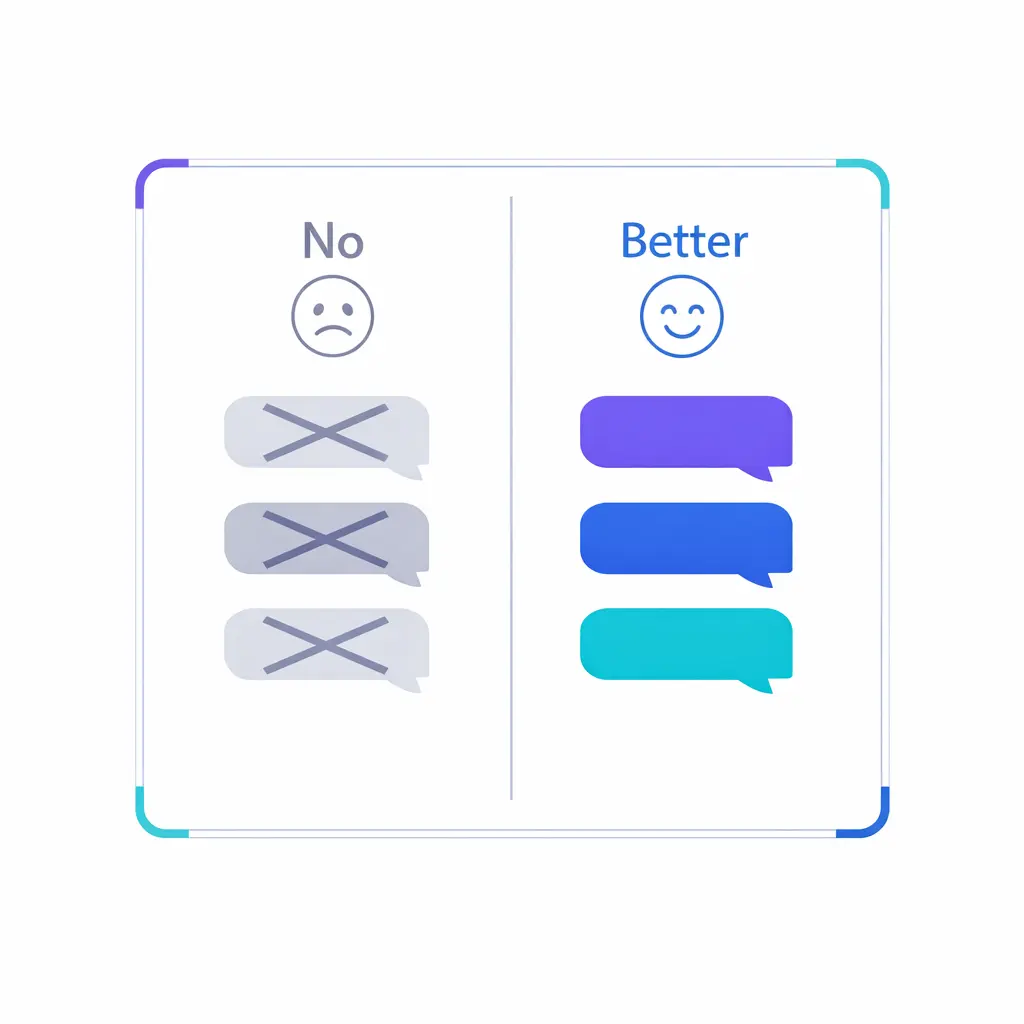
Two contrasting columns replace risky phrases with approved language for smoother customer interactions.

Swap risky phrases for approved ones: "That's not my department" becomes "I'll get you to the right team," and "Someone will call you" becomes "Our team will call you by [time]."
Appointment scheduling and rescheduling scripts

  • 8. New appointment scheduling. "Let's find the best location and time for you." Capture service type, provider or department, first-time or returning status, preferred days, preferred times, and callback method. Read the appointment back before ending the call.
  • 9. Rescheduling request. "I can help with that. May I verify the current appointment date and the best number to reach you?" Try to secure the replacement slot before closing out the original one. End by confirming the new date, time, location, and any arrival instructions.
  • 10. Same-day or urgent scheduling. "I'll ask a few quick questions to determine the fastest next step." Capture urgency markers, location, callback number, and the earliest possible availability. If the preferred option is unavailable, offer the next best workable option instead of a vague promise.
  • 11. Multi-location scheduling. "Which location is most convenient, or would you like the first available across all locations?" This script helps balance capacity without overwhelming the caller. Confirm the final address and any directions or check-in instructions before you close.
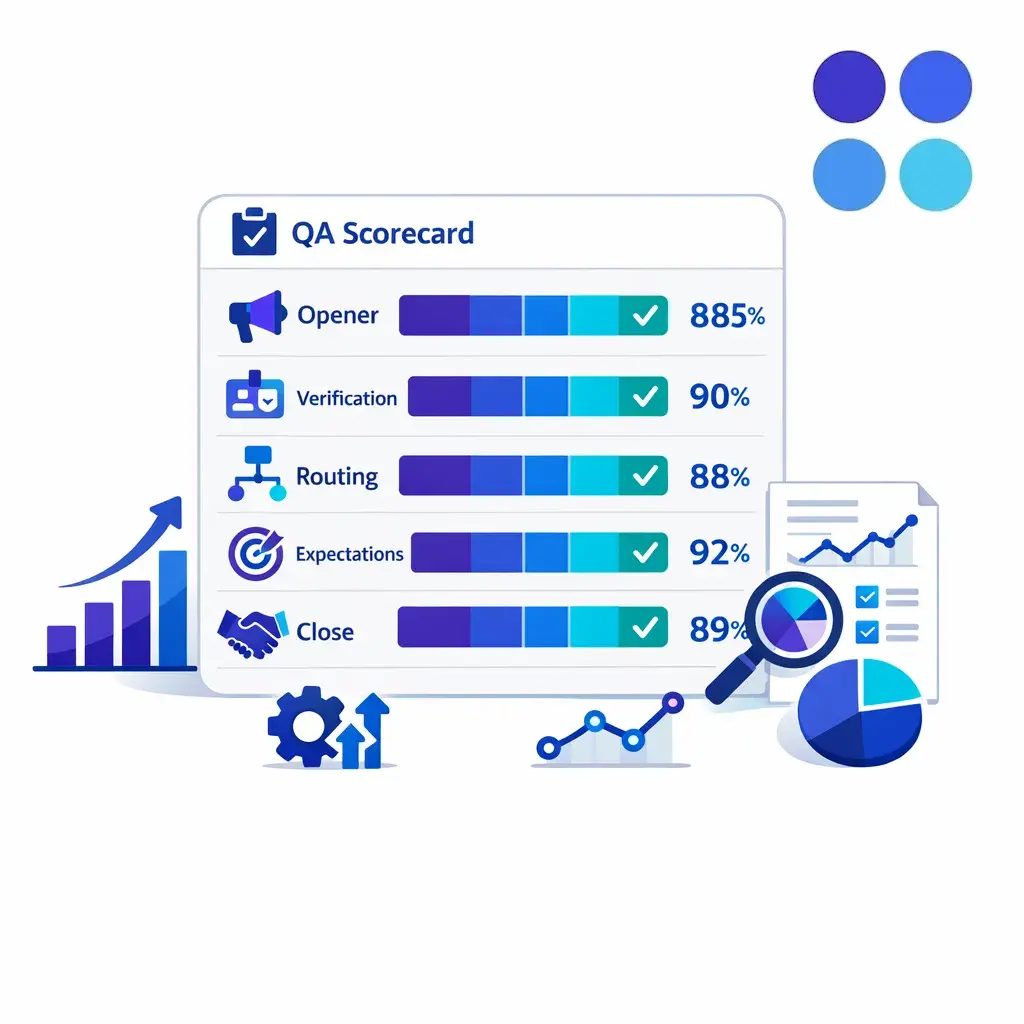
A streamlined QA dashboard tracks opener, verification, routing, expectations, and close quality.

A QA scorecard tracks the moments that matter: opener, verification, routing, expectation setting, and close. Coach to where the call flow broke, not just to whether the agent sounded polished.
Overflow and callback scripts

  • 12. Overflow live answer. "You've reached [business]. Our team is assisting other callers, and I can help with the next step." Capture the reason for the call, urgency, and preferred callback number. The caller should feel helped, not delayed.
  • 13. Overflow callback promise. "The appropriate team will return your call by [time window]. What is the best number, and is there anything they should know before calling?" Repeat the time window and the responsible team. Never end an overflow call without a specific next action.
  • 14. Peak-time voicemail rescue. "Rather than keep you waiting, I can secure a callback from the right team." Capture name, number, issue summary, urgency, and any deadline. Then explain exactly what happens next and when.
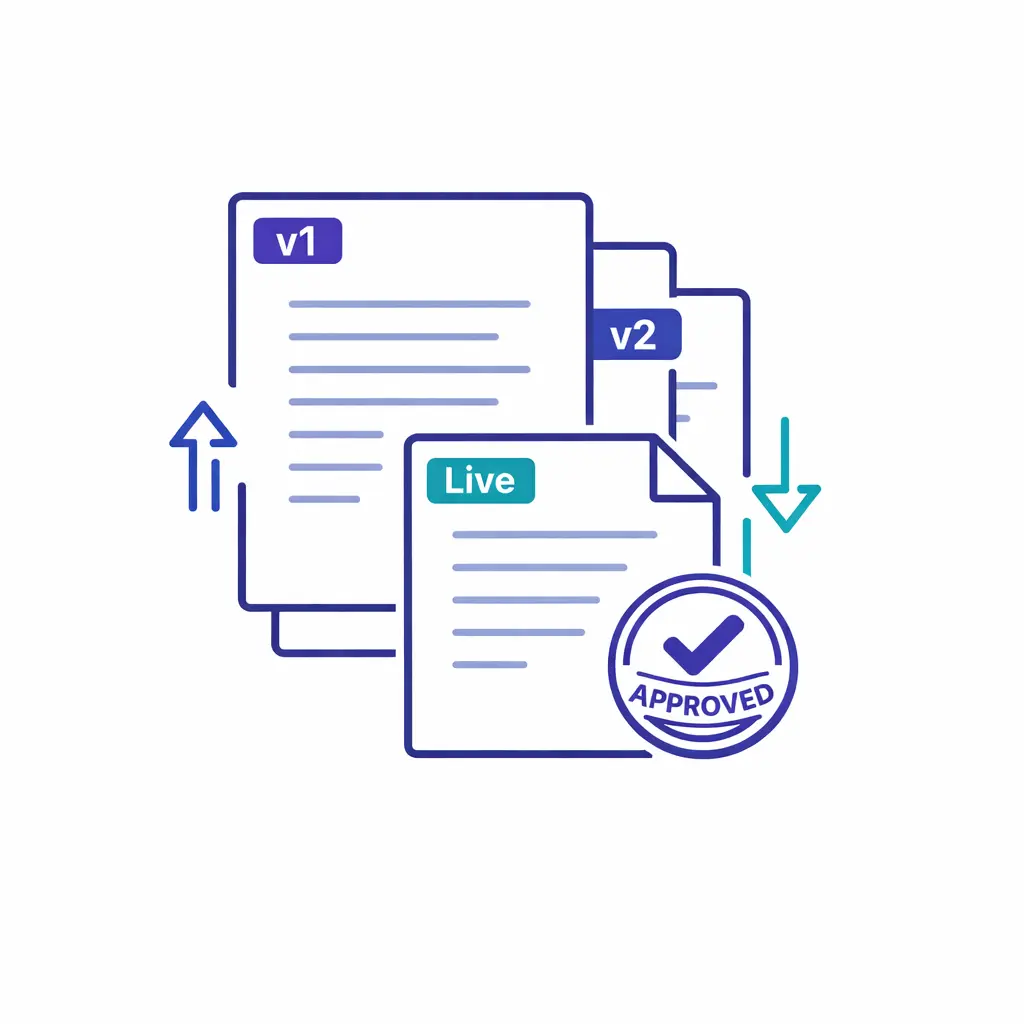
Layered script cards with dates and updates show one source of truth for changing call flows.

Keep one source of truth per script, with owner, effective date, call type, and the exact change. Internal and outsourced teams should always work from the same live version.
Complaint de-escalation scripts

  • 15. Complaint de-escalation opener. "I'm sorry this has been frustrating. Let me make sure I understand what happened so I can help move this forward." Do not interrupt the first explanation. Summarize the issue back before discussing a solution path.
  • 16. Billing or service frustration script. "I can review the situation and get the right person involved if needed." Confirm the charge, service date, location, account detail, or prior contact at issue. Avoid blaming another department or arguing about memory.
  • 17. Angry caller boundary-setting script. "I want to help, and I can do that best if we speak one at a time." Use this when the caller is shouting, repeating, or refusing to pause. Keep the tone calm, restate the next step, and follow policy if the behavior continues.
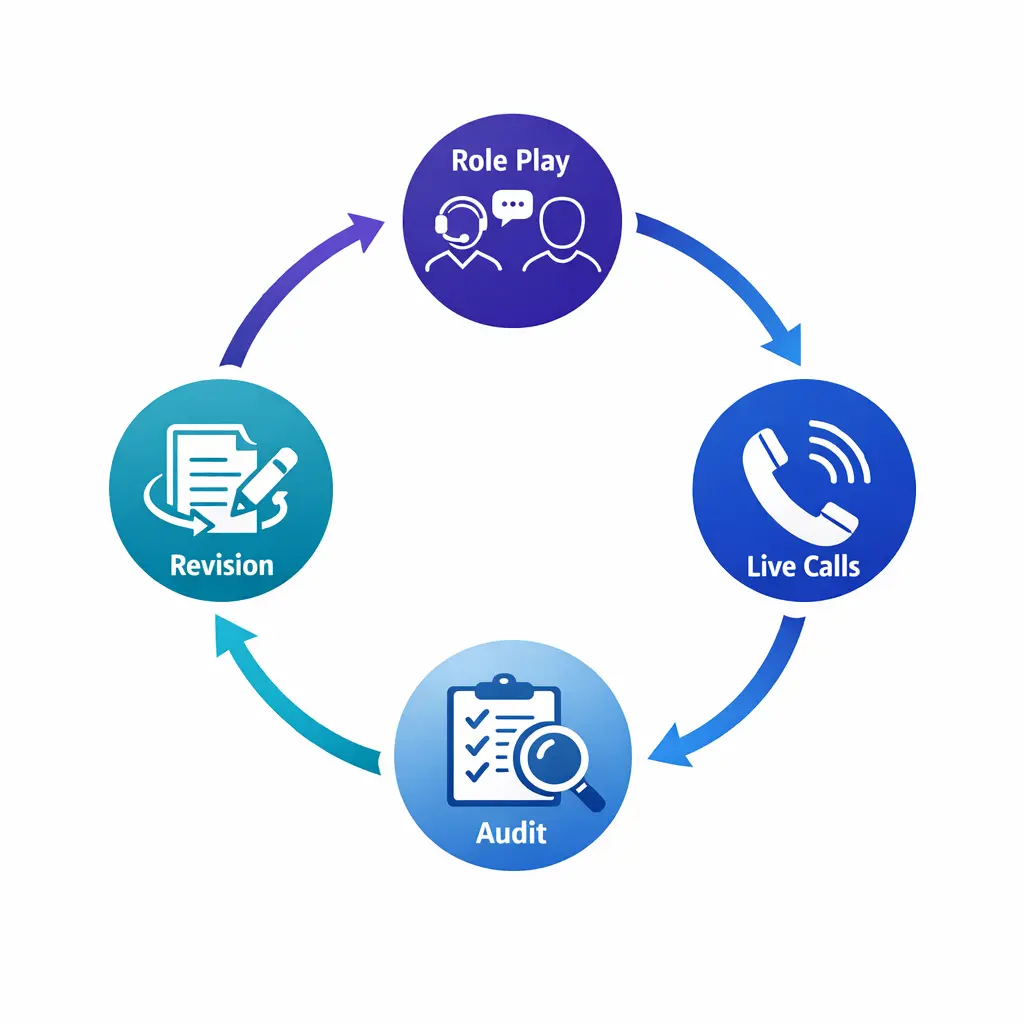
A circular improvement loop links practice, live calls, review, and script updates in a clean process graphic.

Improve scripts in a loop: role-play before launch, run live calls, audit for missed fields and weak expectations, then revise. Testing under real objections is what makes a script hold up.
Hold and transfer scripts

  • 18. Hold request. "May I place you on a brief hold for up to [time] while I check that?" Ask permission, give the reason, and set a time estimate. If the hold will run longer, return with an update or alternative.
  • 19. Warm transfer. "I'm going to connect you with [team or name], and I'll share the details before I bring them in." Brief the receiving party first, then introduce the handoff to the caller. A good warm transfer reduces repetition and confusion.

Escalation-to-supervisor scripts

  • 20. Supervisor escalation. "I understand you'd like a supervisor. I'll document the issue clearly so the handoff is productive." Capture what outcome the caller wants, not only what went wrong. Then set expectations for timing and availability.
  • 21. Escalation with no supervisor immediately available. "A supervisor is not free at this moment, but I can log this for priority review and arrange a return call by [time window]." If your workflow uses a case reference, give it before ending the call. The caller should know what triggers the callback and who owns it.
A callback card pairs a time window with a responsible team icon to reinforce clear next-step ownership.

Never end an overflow call without a specific next action. Pair a callback time window with a responsible team so the caller knows exactly who will call and when.
After-hours routing and message-taking scripts

  • 22. After-hours urgent routing. "You have reached us after regular hours. I can take your details and follow the urgent routing process." Capture the nature of the issue, best callback number, location, and the criteria that determine urgency in your workflow. Keep the language simple and consistent.
  • 23. After-hours non-urgent message taking. "I'm happy to take a detailed message for the team first thing." Capture name, organization or location, reason for call, preferred callback method, and best time to respond. Read the message back before ending the call.
  • 24. After-hours provider or on-call page request. "I can document the request and send it through the on-call process." Verify spelling of the patient, client, or staff name, the callback number, the urgency level, and the exact person being paged. Confirm the message category before you close.

Follow-up and resolution confirmation scripts

  • 25. Follow-up resolution confirmation. "I'm following up to confirm whether your issue has been resolved and whether you need anything else from us." Restate the original issue and the action already taken. Close with a thank-you and a final path if anything remains open.
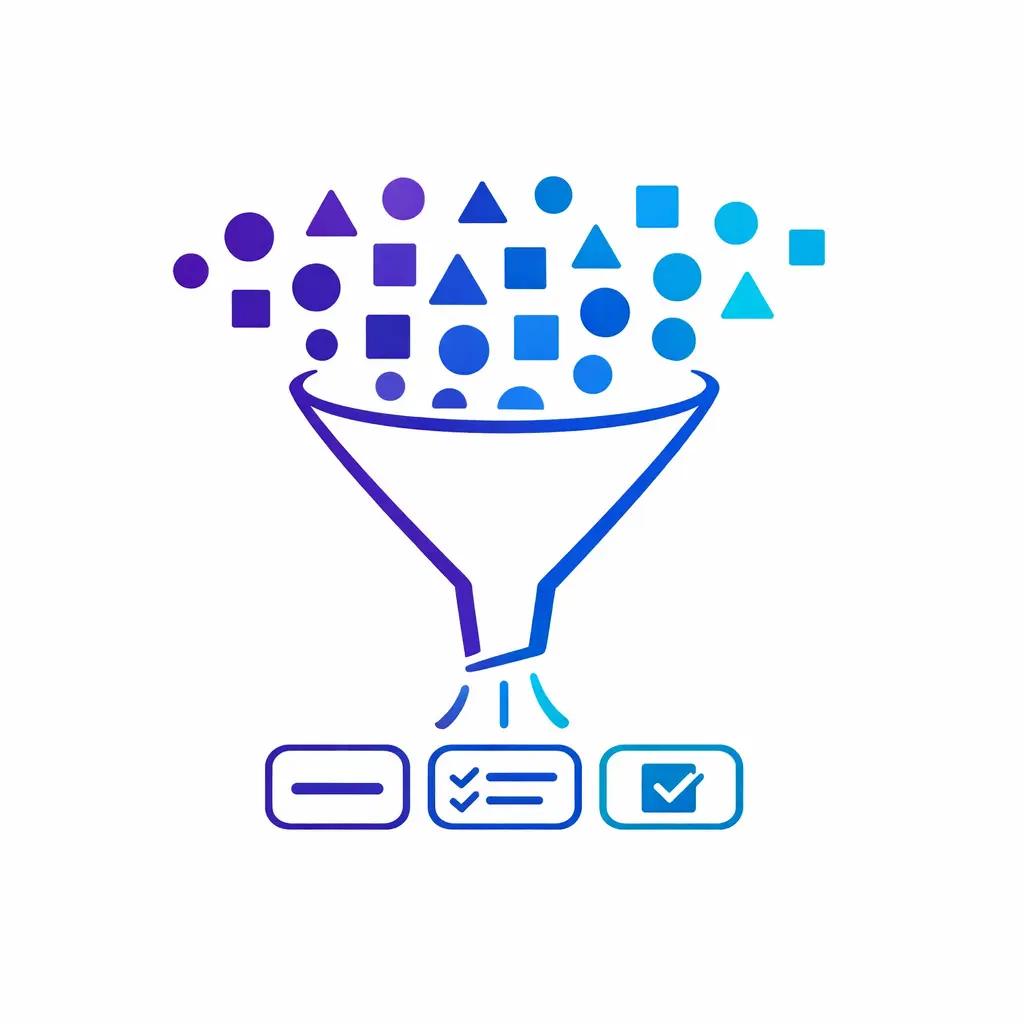
A funnel narrows broad caller details into only the essential fields needed for the next step.

Capture only what the next step requires. A minimum-necessary funnel keeps intake fast and, in healthcare, limits collection of protected health information to what is actually needed.

How to adapt scripts without sounding robotic

Positive language and personalization

Use the caller's name once or twice, not in every sentence. Match the caller's pace, keep your tone steady, and choose language that points to action: "I can help with that," "Here's the next step," or "Let me get this to the right team."

Good customer support scripting leaves room for normal human phrasing. Agents should sound consistent, not identical.
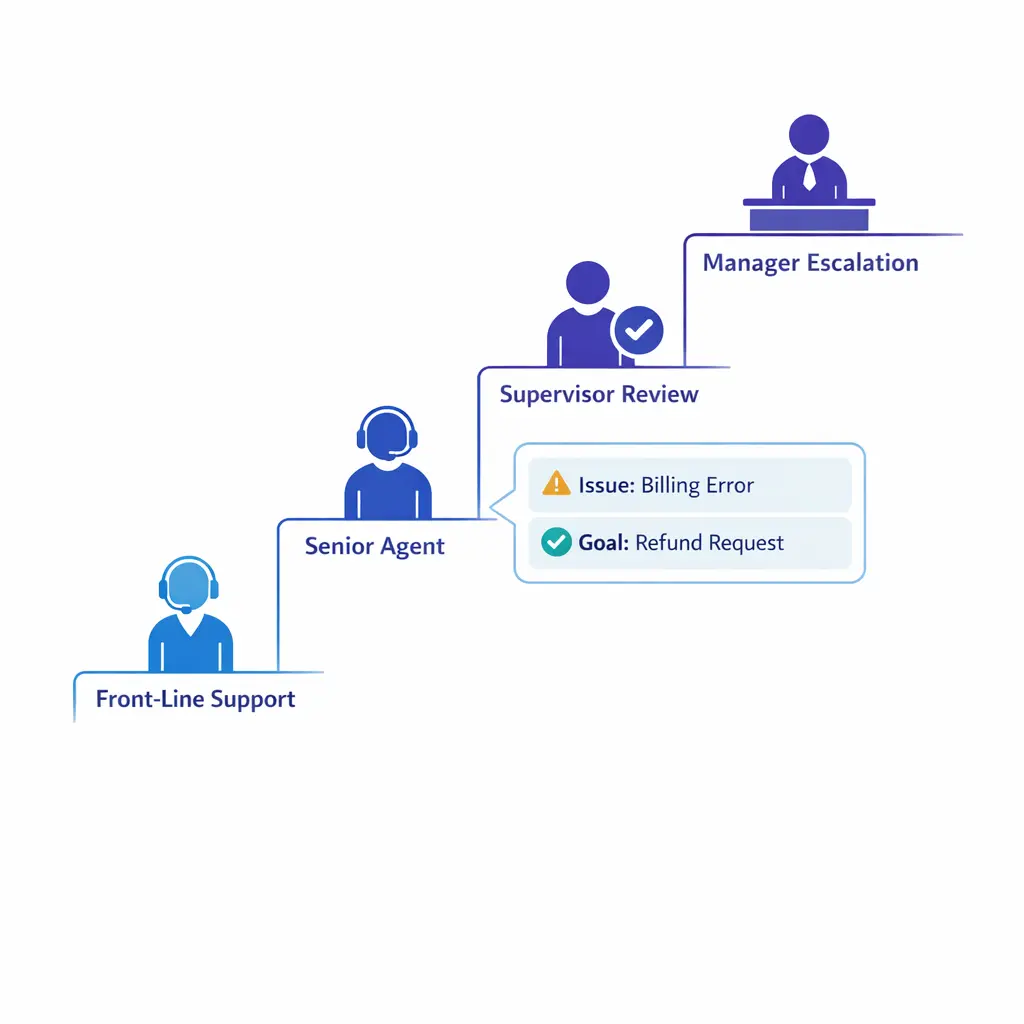
A stepped escalation ladder routes a complex issue upward while preserving context and requested outcome.

A supervisor-escalation script is a quality tool, not a failure. Capture the outcome the caller wants, preserve context, and set clear expectations for timing when a supervisor is not immediately free.
What agents should never say

  • "That's not my department." Replace it with: "I'll get you to the right team."
  • "Calm down." Replace it with: "I want to help, and I'm listening."
  • "I don't know." Replace it with: "Let me verify that for you."
  • "Someone will call you." Replace it with: "Our scheduling team will call you by [time]."
  • "You need to." Replace it with: "The next step is."
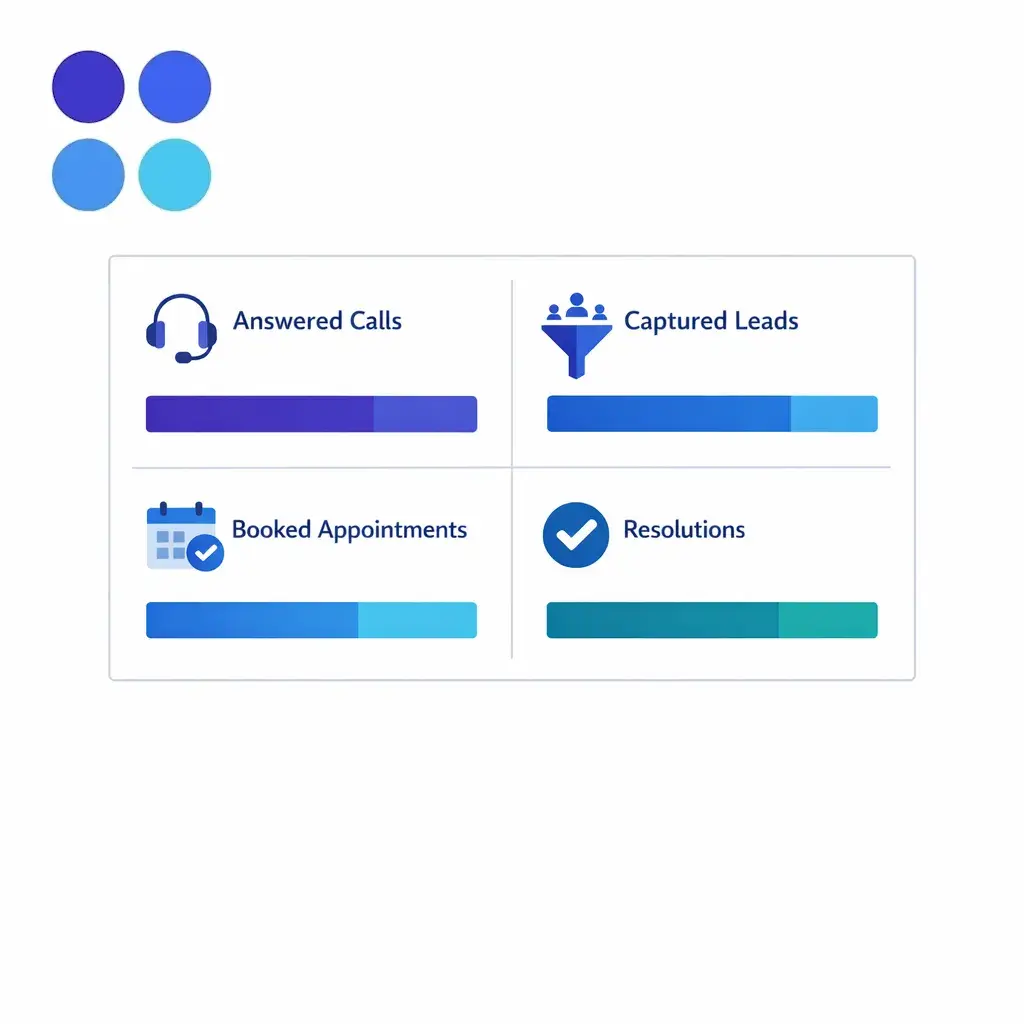
A concise metric panel links answered calls, captured leads, booked appointments, and resolved issues.

Connect scripts to outcomes: answered calls, captured leads, booked appointments, and resolved issues. Metrics show whether the call flows are actually moving work forward.

When to deviate from the script

Agents should deviate when the caller is confused, emotional, off-topic, or unusually urgent. They should not deviate around verification steps, approved promises, message fields, or escalation triggers.

If a callback process shifts from service recovery into promotions or outbound campaigns, review the FTC Telemarketing Sales Rule and the National Do Not Call Registry rules before deployment. The safest approach is to keep operational callbacks and marketing workflows clearly separated.

Common mistakes and misconceptions

  • "A longer script is a better script." In high-volume environments, shorter usually works better if the right fields and decisions are built in.
  • "Agents should read every word exactly." That creates brittle conversations. The non-negotiable parts are the required questions, the routing logic, and the approved commitments.
  • "Every caller needs the same intake depth." General inquiries, overflow calls, and after-hours calls often need a lighter version of the full intake flow.
  • "Escalation means failure." A well-designed escalation script is a quality tool. It protects the caller experience when the front-line team should not improvise.
  • "Closing the call is the easy part." Many avoidable repeat calls come from weak closes that never confirm owner, timeline, or next step.
An expanding wave of inbound volume meets stable process rails that keep service consistent during surges.

High call volume needs stable process rails. When inbound surges during peak season, branching call flows keep service consistent instead of letting routine calls become avoidable escalations.

How managers can operationalize scripts across teams

QA scorecards and coaching moments

Score the behaviors that matter most: opener, verification, issue summary, expectation setting, accurate disposition, and close. Coaching should focus on where the call flow broke, not only on whether the agent sounded polished.

Managers get better results when they coach to moments instead of broad traits. "You missed the callback window language" is more useful than "sound more confident."
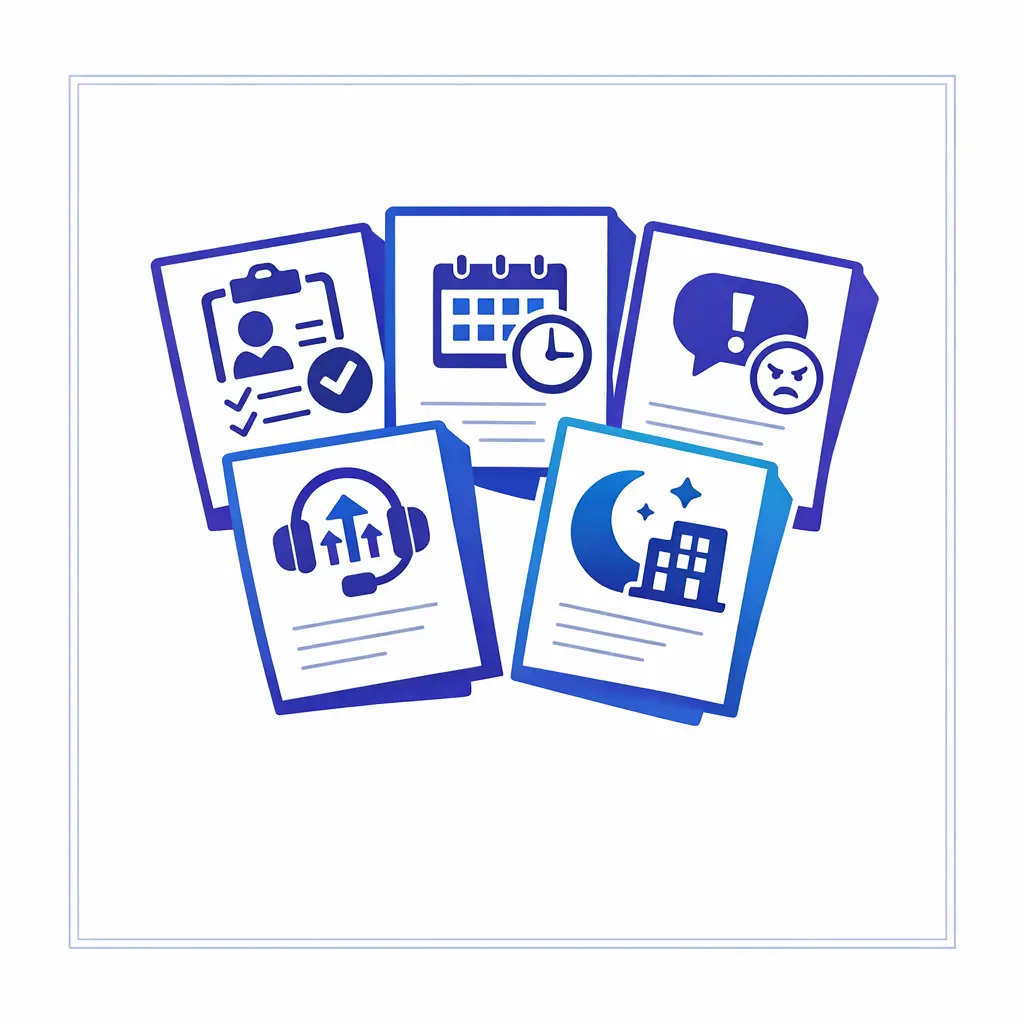
A compact library of distinct one-page call flows is organized by scenario for fast team use.

Build a one-page library organized by scenario — intake, scheduling, overflow, complaints, escalation, after-hours — so agents can find the right flow fast under pressure.

Version control for script updates

Keep one source of truth for every script. Each version should show an owner, an effective date, the affected call type, and the exact change made.

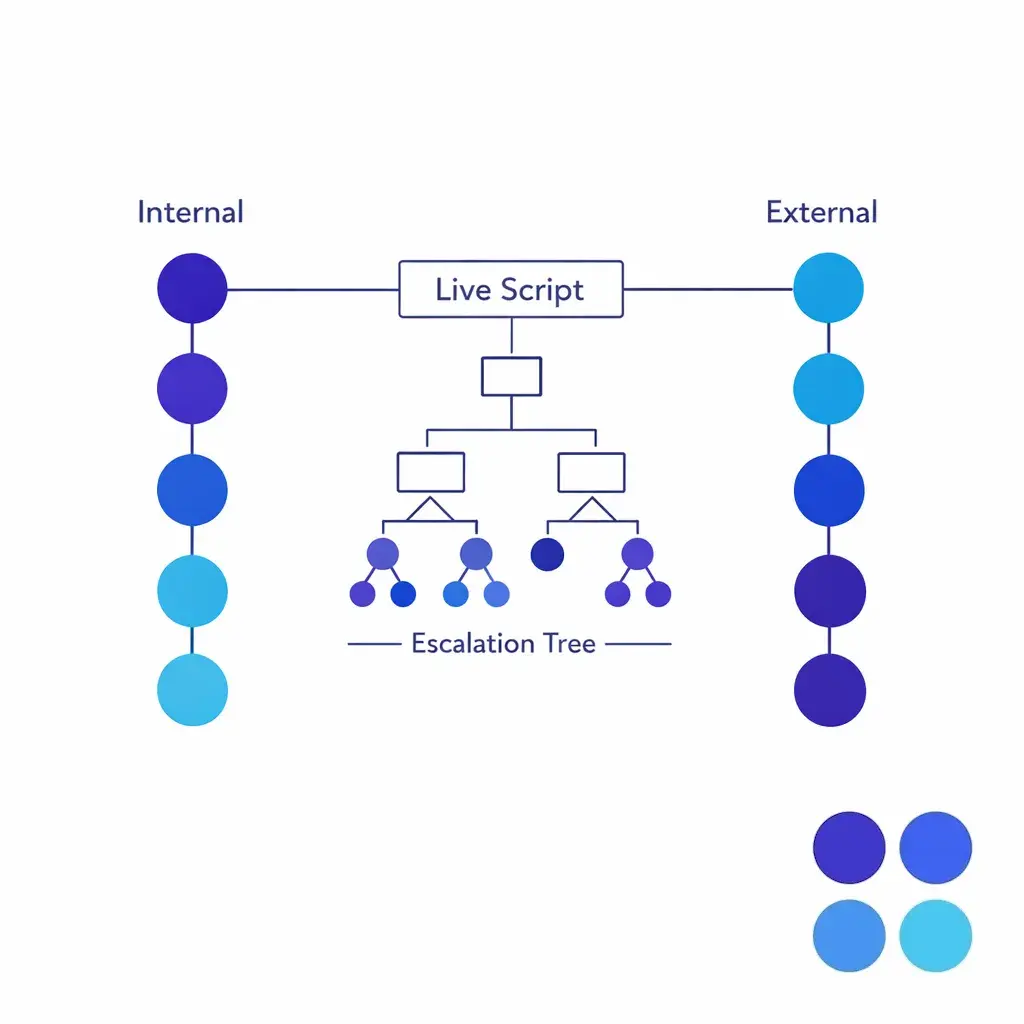
This matters even more when you have multiple teams answering the same line. If you use an outsourced partner such as Go Answer for overflow or after-hours coverage, the external team should be working from the same live script version and the same escalation tree as your internal staff.

Industry and channel customization

Legal intake scripts should focus on factual screening, clear disclaimers, and disciplined handoff language. Healthcare scheduling scripts should separate clinical urgency from routine booking and keep intake limited to the information needed for the next action.

Multi-location service businesses often need different branches for location matching, technician dispatch, service windows, and follow-up promises. The core script structure stays the same, but the fields, escalation triggers, and closing language should reflect the operation.
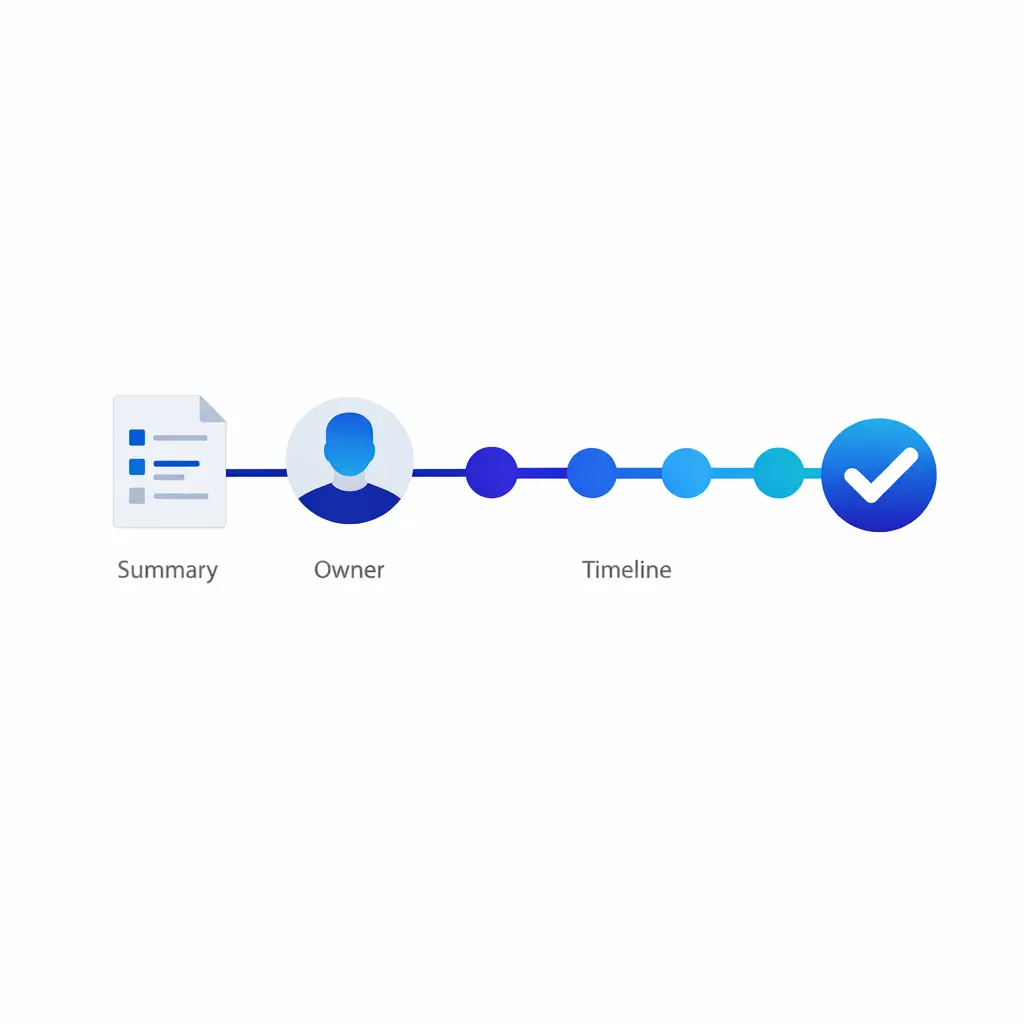
A final confirmation panel summarizes action, owner, and timeline before a call ends cleanly.

A strong close confirms action, owner, and timeline before the call ends. Many avoidable repeat calls come from weak closes that never lock in the next step.
What to do next

  • List your top ten inbound call types. Start with the categories that create the most volume or the most rework.
  • Write one-page call flows for each. Separate live answer, overflow, and after-hours versions where needed.
  • Define required fields and red flags. Agents should know what must be captured and what requires escalation.
  • Standardize openings, holds, transfers, and closes. These are the moments callers notice most.
  • Run role plays before launch. Test the scripts with real objections, rushed callers, and incomplete information.
  • Audit the first wave of live calls. Look for missed fields, weak expectations, and avoidable transfers.
  • Update scripts on a schedule. Refresh them after service changes, policy changes, staffing shifts, or repeated QA findings.
Internal and external teams share one synchronized script system for consistent high-volume coverage.

Standardized coverage means internal and external teams share one synchronized script system and escalation tree, so callers get a consistent experience no matter who answers.

FAQ

What are customer service scripts?

Customer service scripts are structured guides for common interactions. They help agents open the call, gather the right information, handle holds and transfers, set expectations, and close with a clear next step.

How do you write a script for customer service?

Start with the call type, then define the required fields, the decision points, and the approved promises. Write the script in plain spoken language, test it on real calls, and revise it until agents can use it naturally under pressure.

What is an example of a customer service call script?

A simple example is: "Thank you for calling [business], this is [name]. How can I help today?" Then verify the caller, summarize the issue, explain the next step, and close with a timeline. The exact wording changes by scenario, but that structure works across many customer service conversation examples.

What is the basic script for a call center?

A basic call center script has five parts: greeting, verification, issue discovery, action or routing, and closing. That same framework works for inbound call center scripts, answering service scripts, and appointment scheduling scripts.

What are good closing lines for a call script?

Good closing lines confirm ownership and timing. Examples include: "You are scheduled for Tuesday at 2:30," "Our intake team will call you by 4:00 p.m.," or "I've documented your message for first review tomorrow morning."

What is a good call opening script?

A strong opening is short and easy to say: "Thank you for calling [business], this is [name]. How can I help you today?" For overflow or after-hours coverage, add one clarifying phrase about the next step so the caller understands they are still speaking with a team that can help.

Request Pricing or Book a Discovery Call

If your team is balancing front-desk coverage, intake quality, overflow, and after-hours routing, Go Answer can help you standardize the experience without forcing a generic script. The goal is reliable coverage, cleaner handoffs, and more consistent message capture when your in-house team is busiest.

Request Pricing to map your customer service scripts around intake, scheduling, escalation, and overflow, or Book a Discovery Call to talk through your workflow with a specialist. You can also explore enterprise BPO options, see how it works, and view use cases that fit your operation.

Get started now.

Learn why thousands of companies rely on Go Answer.

Try us risk-free for 14 days!

Enjoy our risk-free trial for 14 days or 200 minutes, whichever comes first.

Have more questions? Call us at 888-462-6793