
Medical Answering Service: HIPAA-Aware Call Handling, Triage, and Patient Intake for Healthcare Practices
By Eugene QuilterLast modified: September 22, 2026
Voted Top Call Center for 2024 by Forbes
Virtual Receptionists
Save time and money with our virtual receptionists.
AI Receptionist
AI-powered receptionist that answers, routes, and qualifies calls 24/7.
Enterprise Solutions
Solutions designed to scale with your organization’s needs.
Legal Services
Our virtual legal receptionists are experts in legal intake.
Last modified: September 22, 2026
Healthcare practices do not lose calls for just one reason. They lose them when front desks get overloaded, after-hours rules are inconsistent, urgent messages get mixed with routine scheduling, or coverage drops during lunch, weekends, and seasonal spikes.
For clinics that need stronger patient access without expanding in-house staffing at every hour, a medical answering service can act as an operational extension of the practice. This guide is for healthcare groups, specialty clinics, dental offices, and multi-location organizations evaluating a healthcare answering service or medical office answering service and trying to balance responsiveness, intake quality, escalation speed, and workflow control.
You will learn what a medical answering service actually does, how it differs from a general answering service, what HIPAA-aware call handling should include, how triage and patient intake workflows are usually structured, and how to evaluate providers with a practical operations lens.
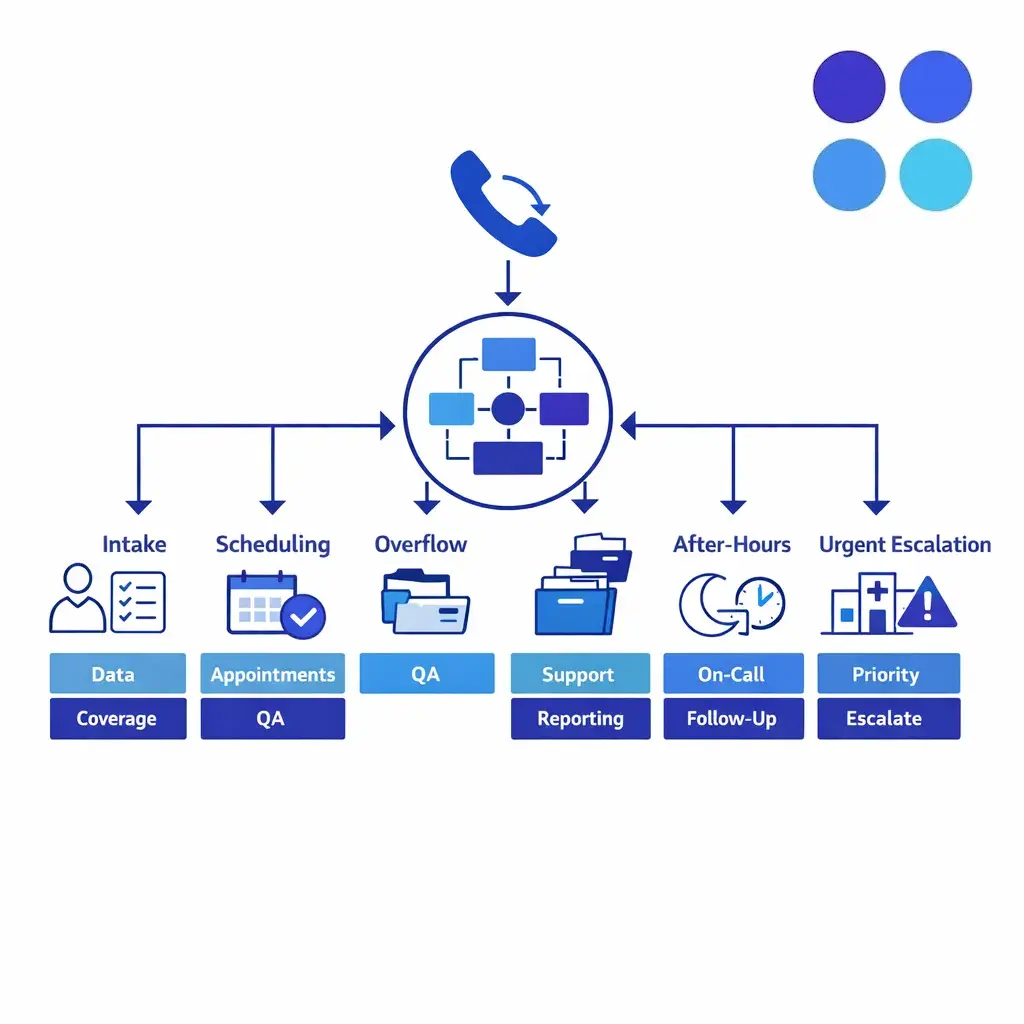
A medical answering service is a healthcare call-handling layer that answers patient calls, captures information, routes routine requests, escalates urgent issues by approved rules, and extends front-desk coverage beyond normal hours.
A medical answering service is a call-handling support layer built for healthcare workflows. It answers inbound patient calls, captures information, routes routine requests, escalates urgent issues based on approved rules, and extends front-desk coverage beyond normal staffing windows.
The best programs do more than take messages. They create a repeatable process for intake, appointment requests, on-call communication, overflow handling, and after-hours response so patients are not left guessing about the next step.

The most visible function is live coverage when the office is closed or the front desk is full — evenings, weekends, holidays, lunch blocks, and overflow — turning a safety net into a real patient-access tool.
A general answering service is usually optimized for simple message taking, basic lead capture, or business-hours reception. A medical answering service is built around higher-stakes conversations, tighter scripts, role-based routing, and clearer boundaries between administrative handling and clinical escalation.
In healthcare, the details matter. A missed refill request, an after-hours symptom call, or a new-patient inquiry for a time-sensitive specialty appointment all require a more disciplined workflow than a generic "take a name and number" approach.
Smaller practices benefit when front-desk staff cannot cover every call wave without sacrificing in-office work. Larger groups benefit when they need consistent intake and escalation rules across locations, providers, specialties, and schedules.
Medical answering services are often a strong fit for primary care, specialty clinics, outpatient groups, dental offices, pediatrics, OB/GYN, behavioral health, and multi-location practices that need a single operating model for after-hours coverage and overflow call handling.
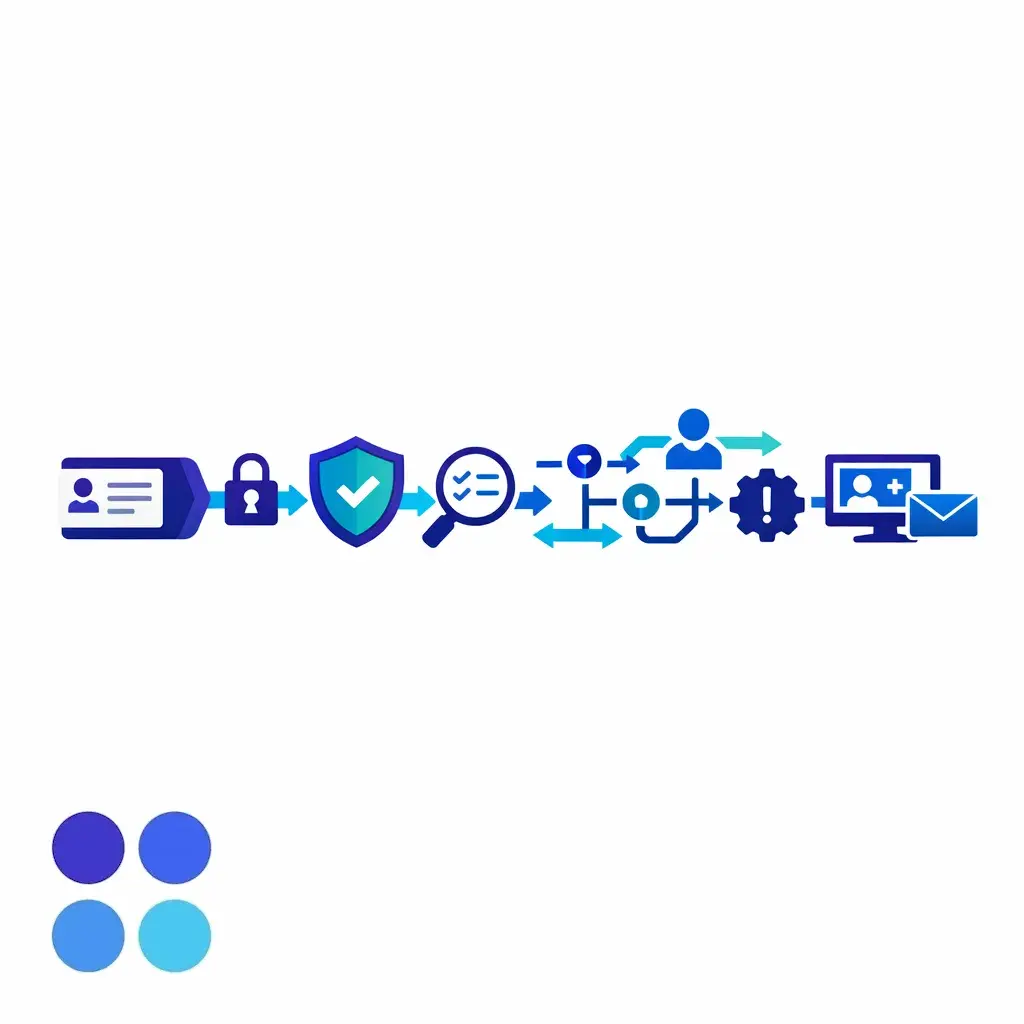
"HIPAA-aware" should mean more than a label. It shows up in how calls are scripted, how limited patient data moves through controlled access, and how the whole process is documented and auditable.
The most visible function is live answer coverage when the office is closed or the front desk is at capacity. That includes evenings, weekends, holidays, provider lunch blocks, weather disruptions, and overflow periods when call volume spikes faster than staff can absorb it.
For many practices, after-hours medical answering service support starts as a safety net and becomes a patient access tool. It gives callers a clear response path instead of voicemail while protecting in-house staff from carrying the entire burden of unpredictable call traffic.
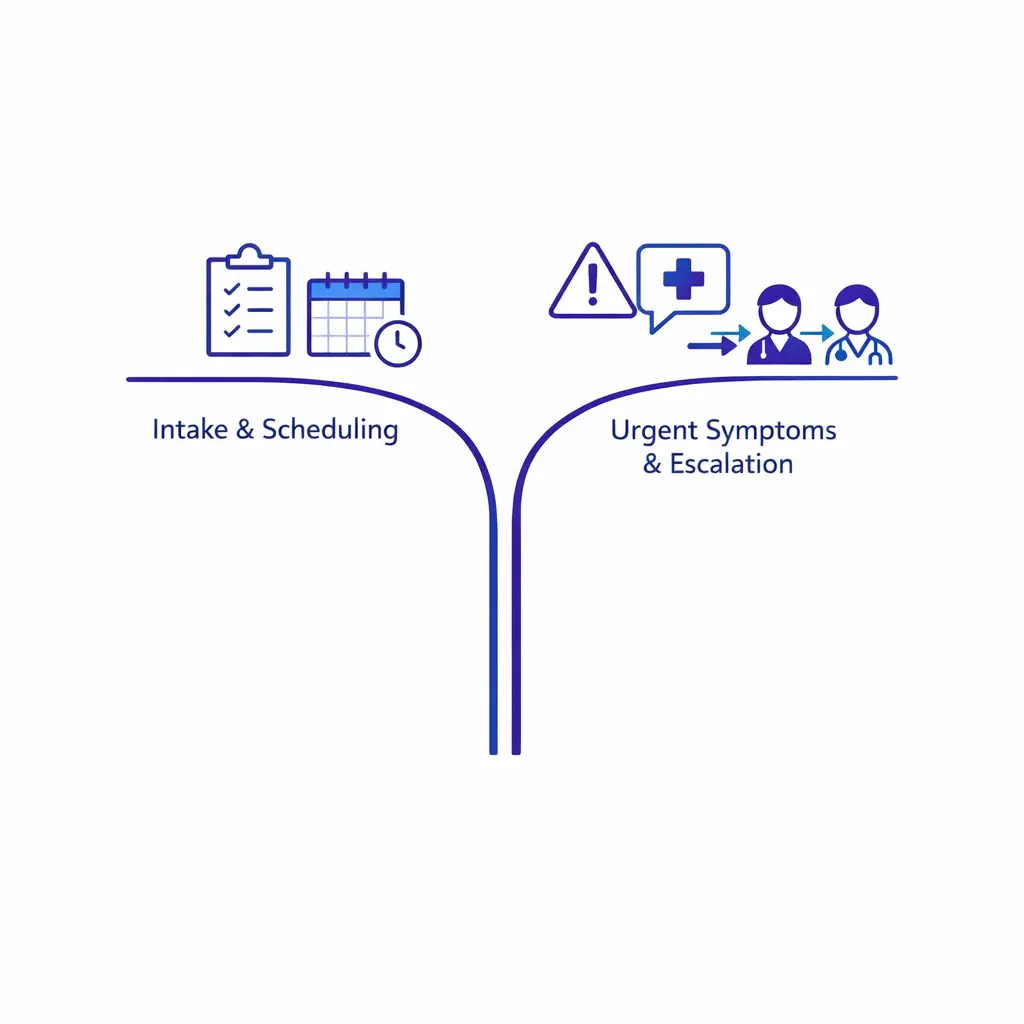
Intake collects and organizes information; clinical triage decisions follow the practice's approved process. A good workflow separates routine patient intake from urgent symptom escalation cleanly.
A strong medical answering service does not treat every caller the same. It separates new-patient opportunities, existing-patient service needs, scheduling requests, referrals, billing questions, and urgent issues so each call lands in the right workflow.
Intake quality matters because the first conversation shapes what happens next. If the caller's reason for contact, preferred location, insurance basics, callback urgency, and scheduling intent are captured cleanly, the practice can follow up faster and with fewer rework steps.
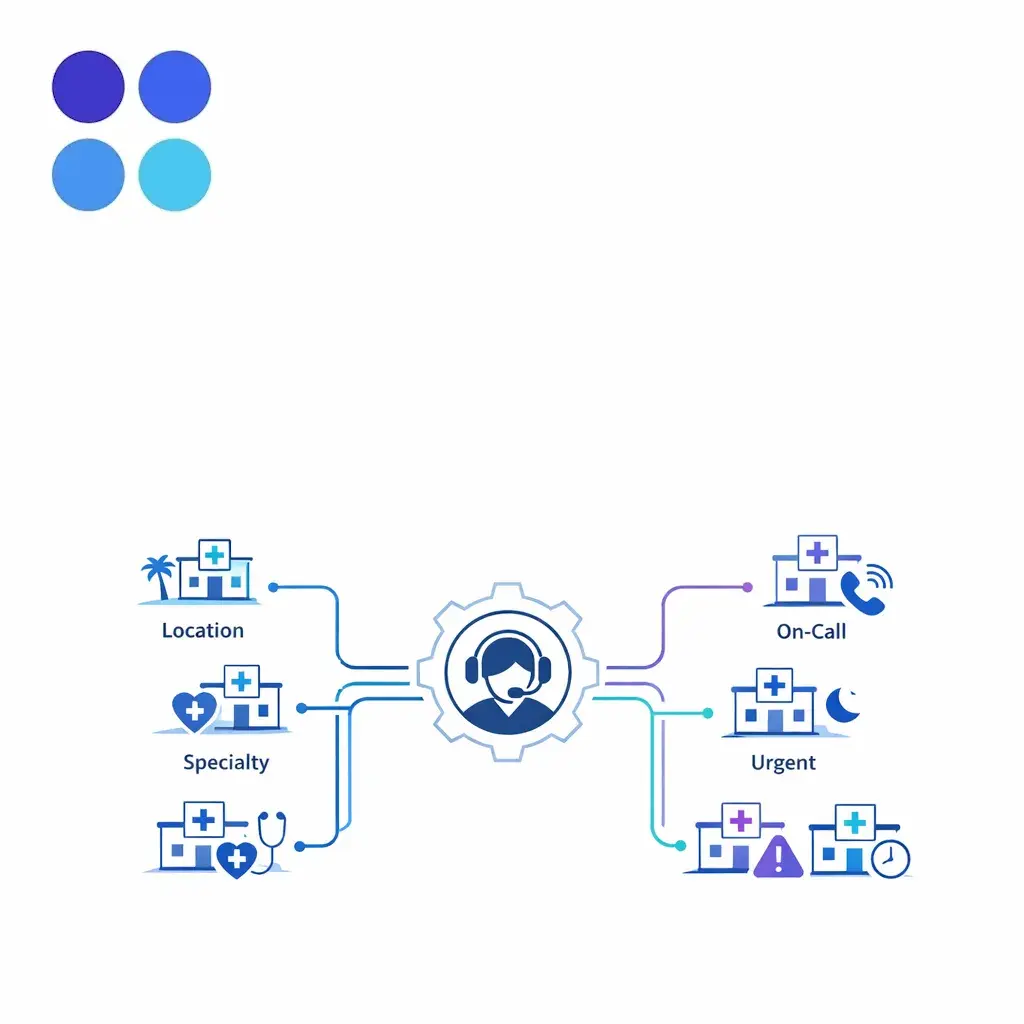
For multi-location practices, the call problem becomes a routing problem. One workflow routes patients to the correct location, specialty, and provider schedule with controlled variations by site.
Not every urgent call requires the same response. Some practices want direct paging to the on-call provider, some want tiered routing through a coordinator or nurse line, and some want symptom details captured first and transferred only when certain triggers are present.
A reliable answering workflow makes those rules explicit. Agents should know when to transfer, when to page, when to send a secure message, when to mark a call for immediate callback, and when to direct a patient to emergency services based on the practice's approved script.
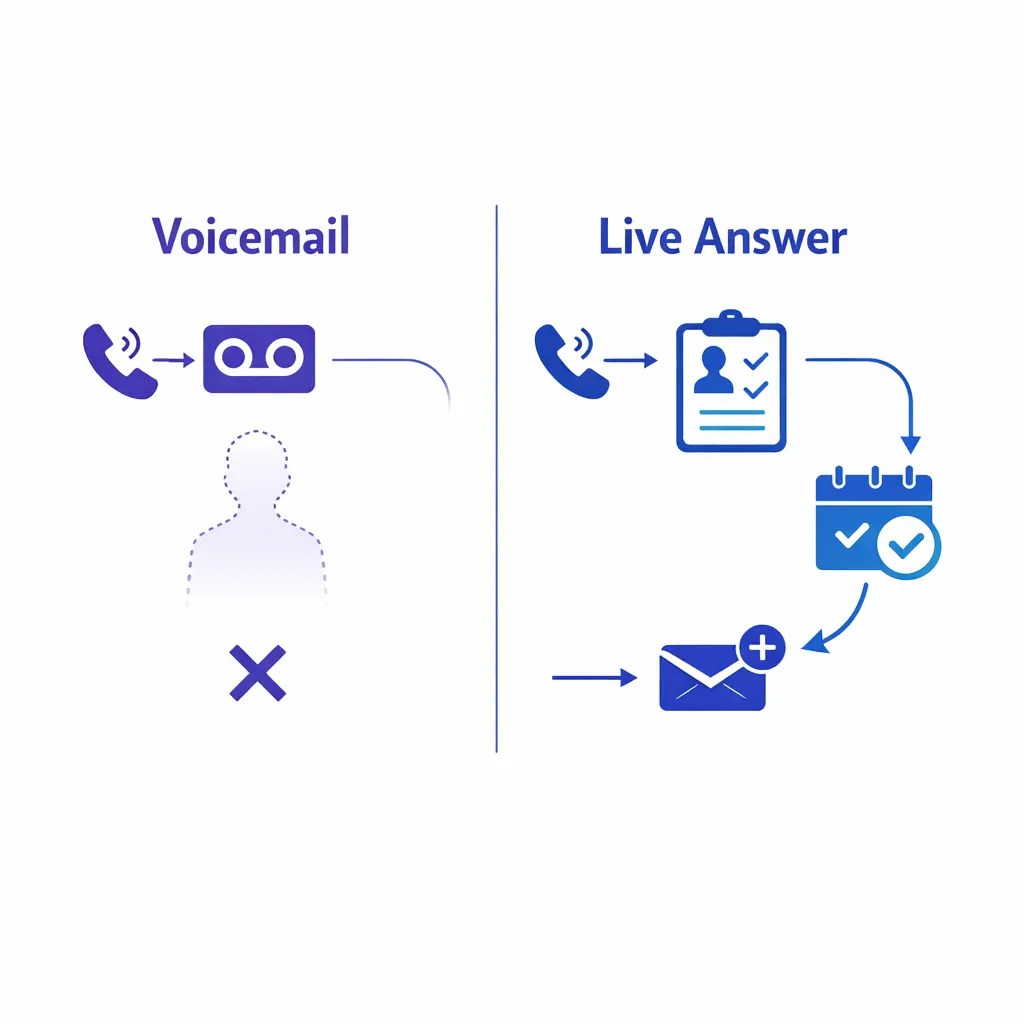
A live answer beats voicemail. It creates a next step immediately — booking, request capture, or a routed message — which matters most for new-patient inquiries the practice cannot afford to lose.
Many healthcare answering services do not provide clinical judgment themselves. Instead, they support nurse triage coordination by collecting the right non-clinical details, following approved symptom prompts, and escalating to the correct licensed or designated resource.
This is an important distinction. A well-run program narrows the administrative part of the interaction so the clinical team gets cleaner information and patients get a faster, more consistent handoff.
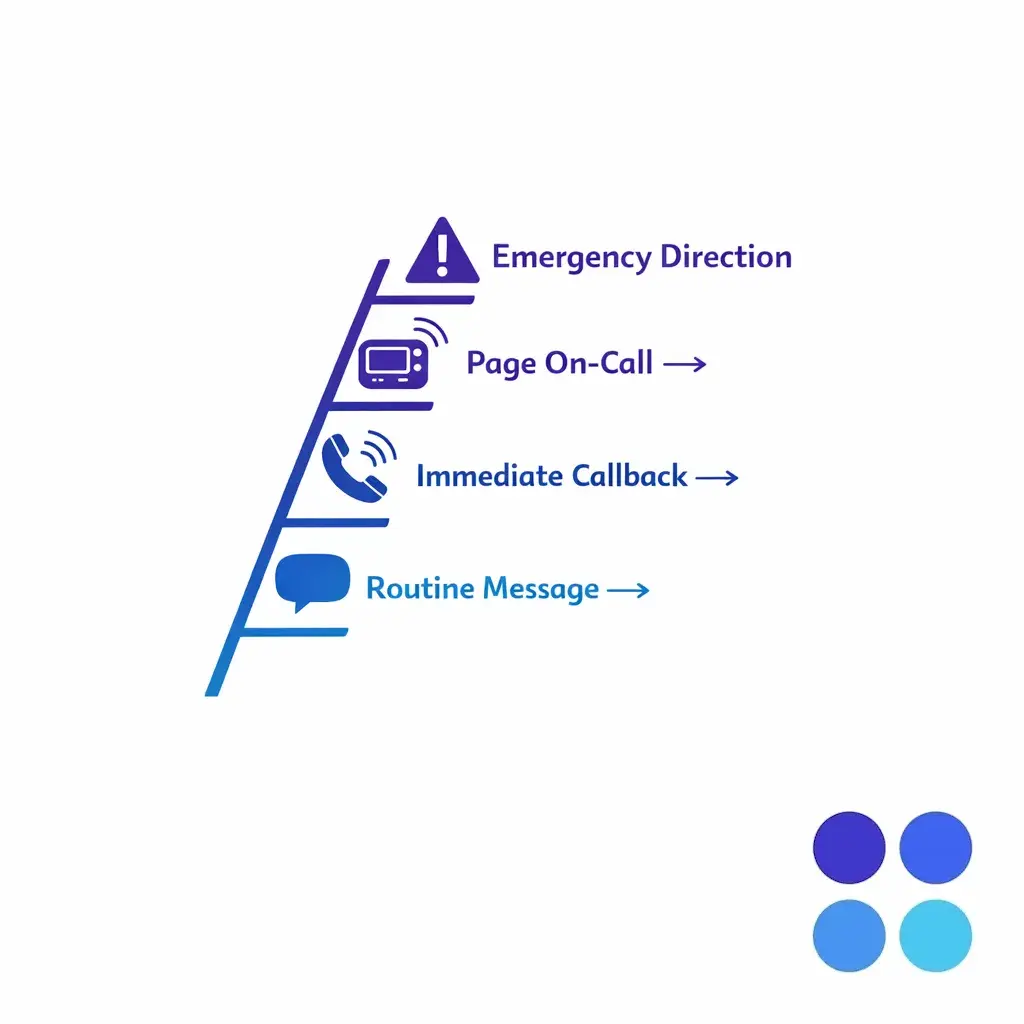
Not every urgent call needs the same response. A tiered escalation ladder defines routine messages, immediate callbacks, on-call paging, and emergency direction based on the practice's approved script.
When patient calls involve protected information, the workflow sits inside the logic of the HIPAA Privacy Rule and the HIPAA Security Rule. If the answering provider handles patient information on behalf of the practice, HHS guidance on business associates is a key starting point for understanding responsibility, contracting, and workflow design.
That is why "HIPAA-aware" should mean more than a marketing label. It should show up in how calls are scripted, how messages move, who can access information, how exceptions are handled, and how the vendor documents the entire process.
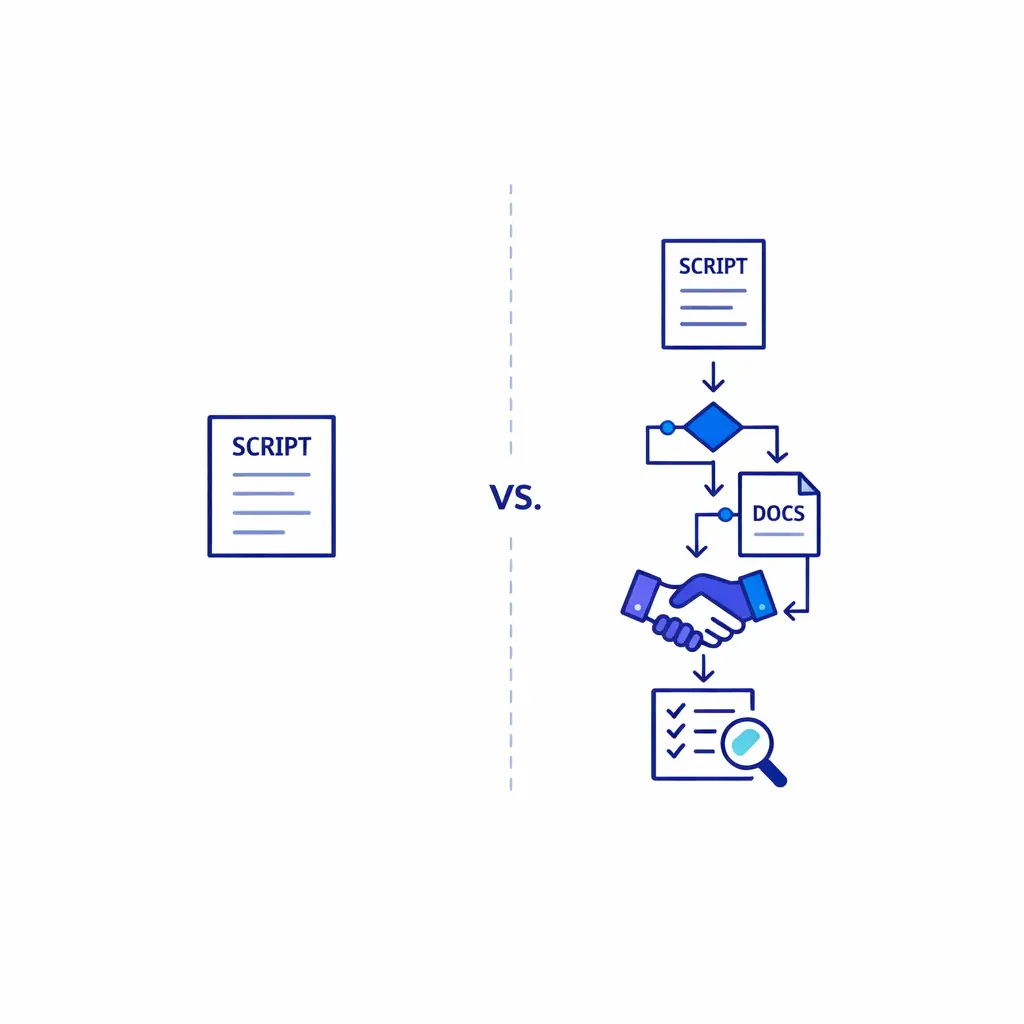
A script by itself does not create safety. What matters is whether it connects to the right routing logic, documented exceptions, correct handoffs, and a record the practice can review afterward.
At a minimum, healthcare call handling should be built around disciplined information capture and controlled delivery. The service should take only what is needed, route it only to the right person, and avoid casual workarounds that create confusion or exposure.
The goal is not to turn every operator into a clinician. The goal is to make the non-clinical portion of call handling narrow, controlled, and auditable.
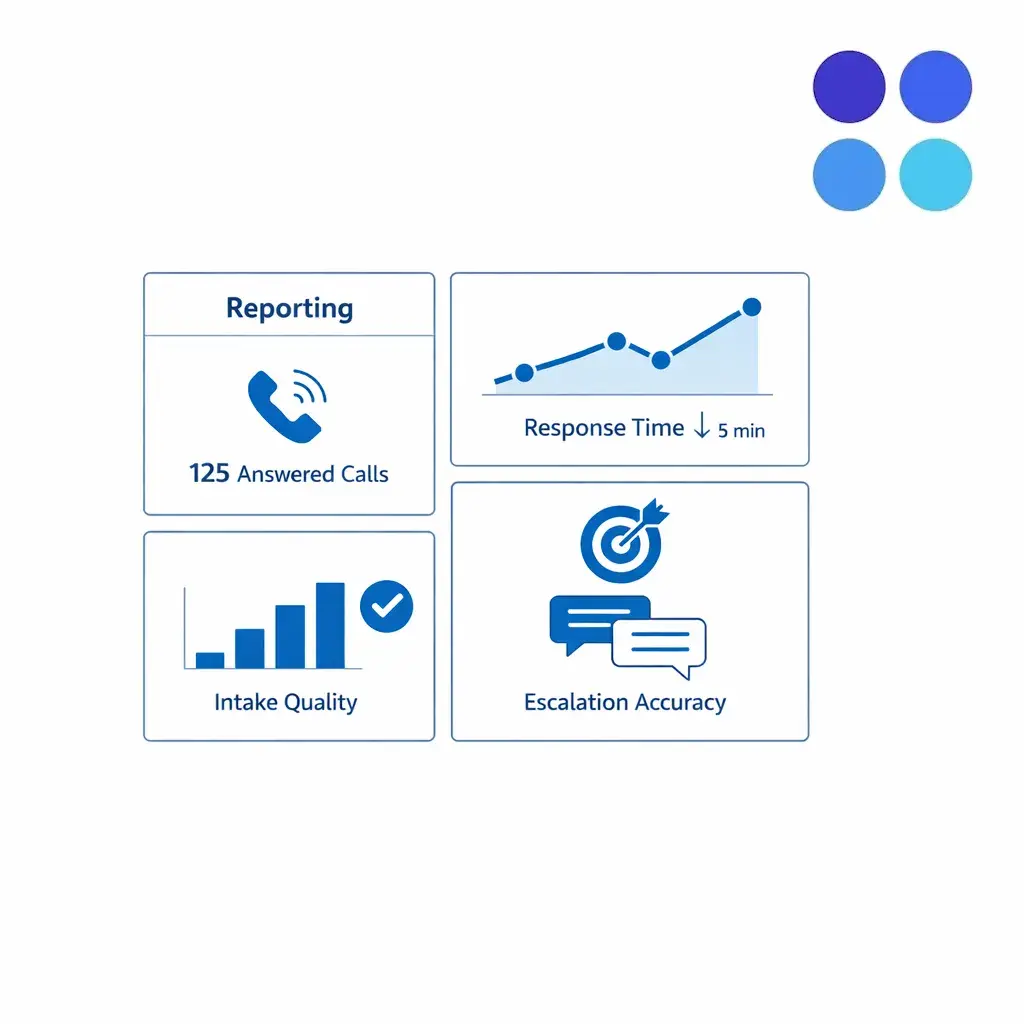
Ask to review reporting and QA. Call volume, message quality, response time, and escalation accuracy show whether the program actually improves patient access, not just answers faster.
In vendor evaluations, the contract discussion is often a fast credibility test. If a provider is vague about agreement structure, access controls, training expectations, or message logs, the practice will usually spend more time fixing risk questions than improving patient access.
Agent training also needs to be healthcare-specific. Staff should know what the script allows, what requires escalation, what information should not be improvised, and how to keep documentation consistent when multiple locations or specialties share the same call center operation.
A script by itself does not create safety. What matters is whether the script is connected to the right routing logic, whether exceptions are documented, whether the handoff reaches the intended person, and whether the practice can review what happened afterward.
That is why secure workflow design matters more than broad promises. In healthcare, call quality is not just about being polite on the phone. It is about helping the practice maintain control over intake, escalation, and follow-up.
A medical answering service can support HIPAA-aligned operations, but the useful question is operational rather than promotional. Ask how the service captures information, where messages live, how access is limited, how incidents are handled, and how your practice reviews compliance-related workflows over time.
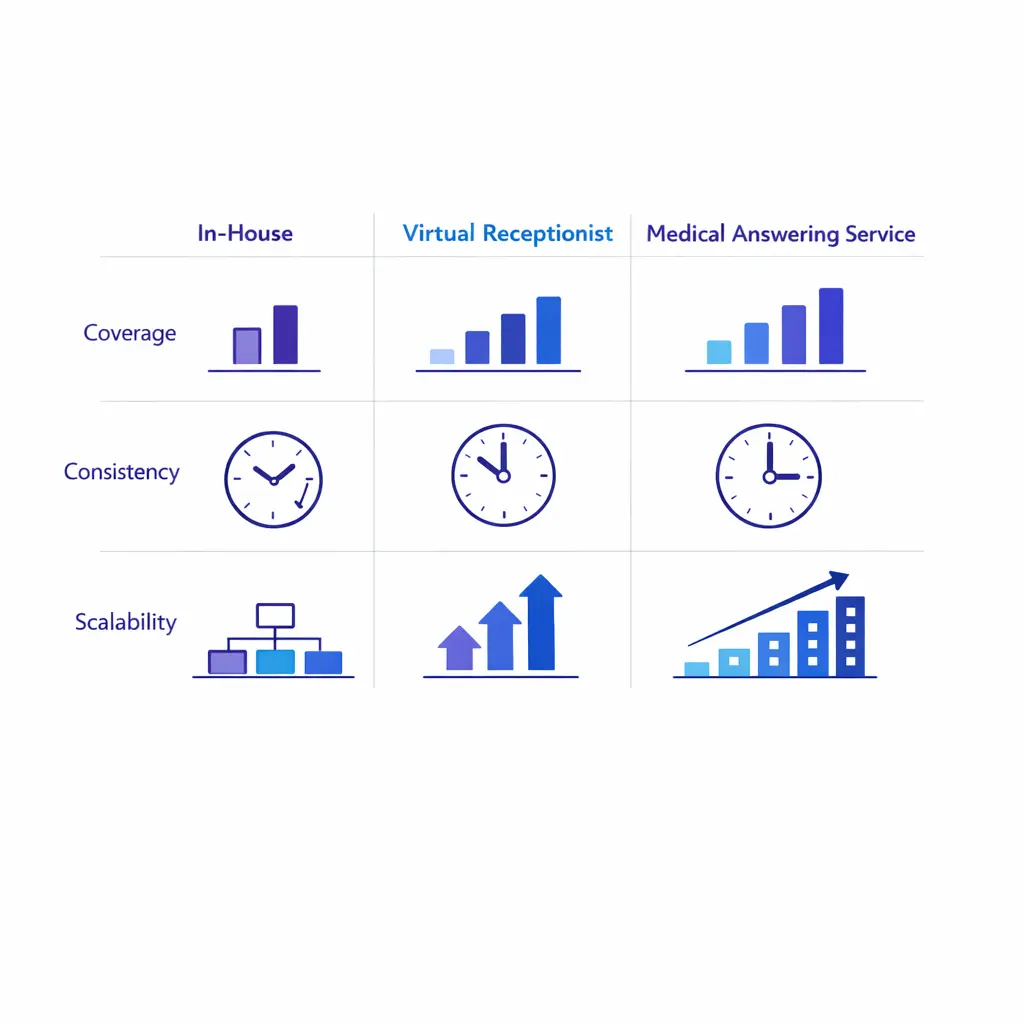
In-house desks fit real-time in-office context; virtual receptionists fit basic answering; a medical answering service fits structured after-hours, overflow, specialty routing, and repeatable escalation.
When a caller reaches voicemail, momentum drops. A live answer creates a next step immediately, whether that is booking, request capture, a callback commitment, or a routed message that gets to the right team member faster.
This is especially important for new-patient inquiries. A clean intake script helps the practice collect the details it actually needs while preserving the caller's willingness to continue the process.
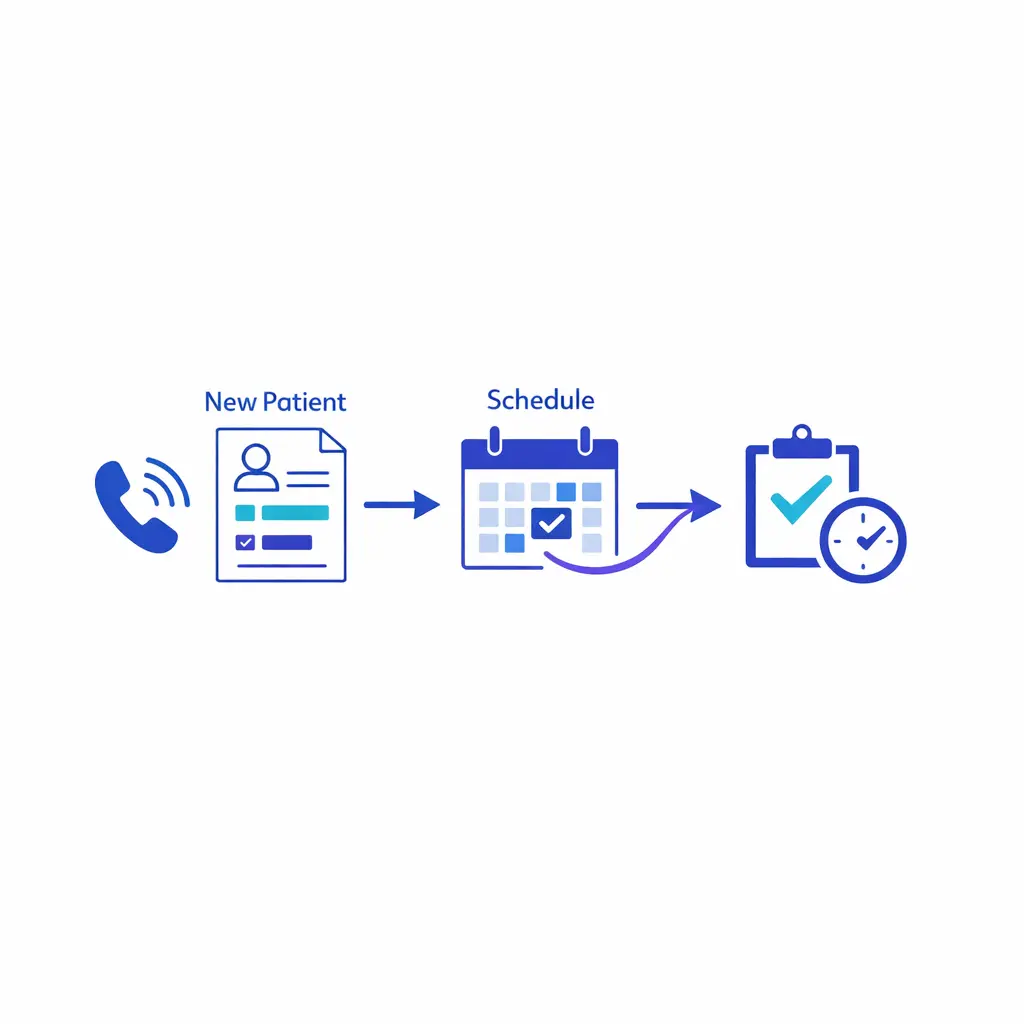
A strong intake workflow turns new-patient calls into clean scheduling follow-up — capturing reason for contact, location, insurance basics, and callback urgency so the practice follows up faster.
As practices expand, the call problem usually stops being just about volume. It becomes a routing problem. The service needs to know which location, which provider group, which schedule, which service line, and which urgency rules apply before the call can move correctly.
A medical answering service can create structure around that complexity. Instead of forcing one front desk to improvise for every site, the practice can define standardized call paths with controlled variations by specialty, provider, and location.
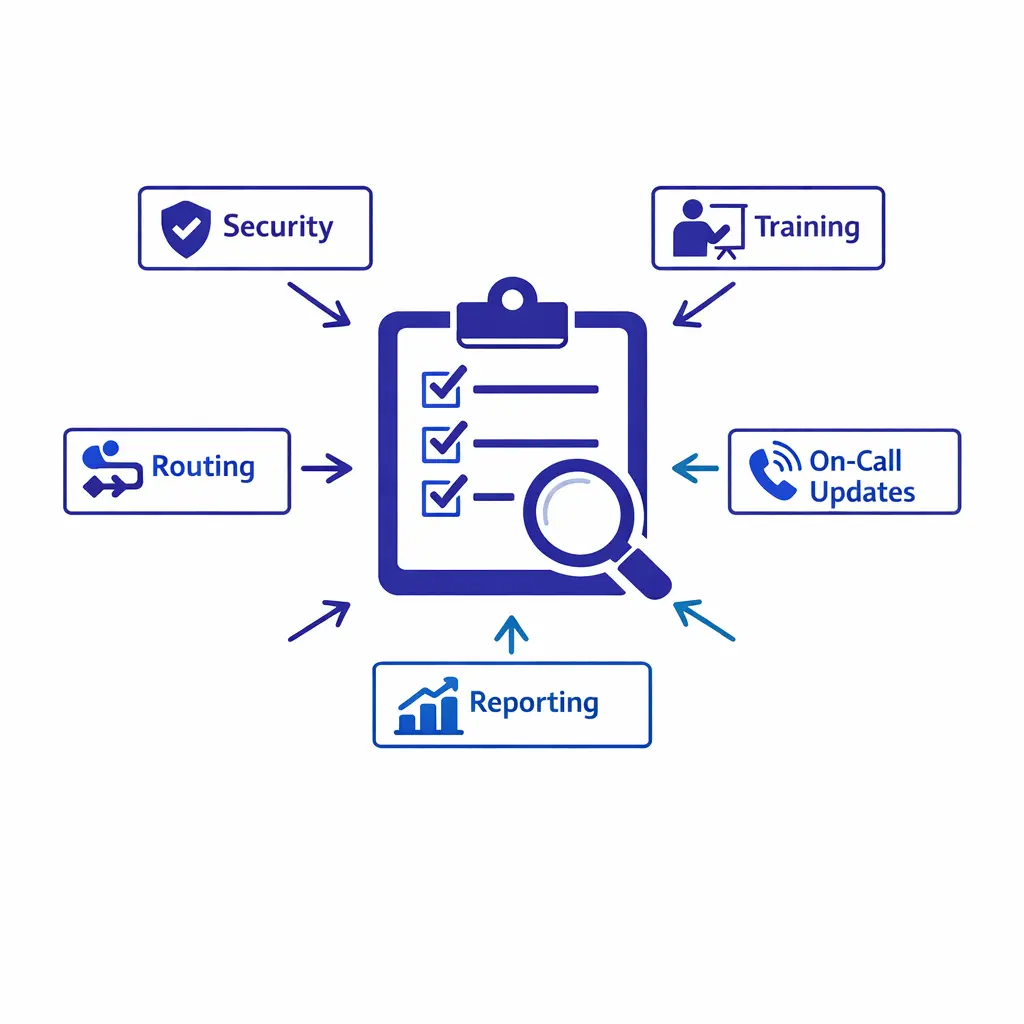
Evaluate a provider on whether it can execute your specific call flows, not the longest feature checklist. Probe workflow fit, security, escalation rules, and reporting depth before you commit.
Patients rarely experience a missed call as an internal staffing issue. They experience it as uncertainty. They do not know whether the office is open, whether the message was received, or when someone will call back.
After-hours coverage reduces that uncertainty. Even when the right next step is simply a scheduled callback or a documented message to the on-call team, a live interaction gives the patient clarity and keeps the practice in control of the encounter.
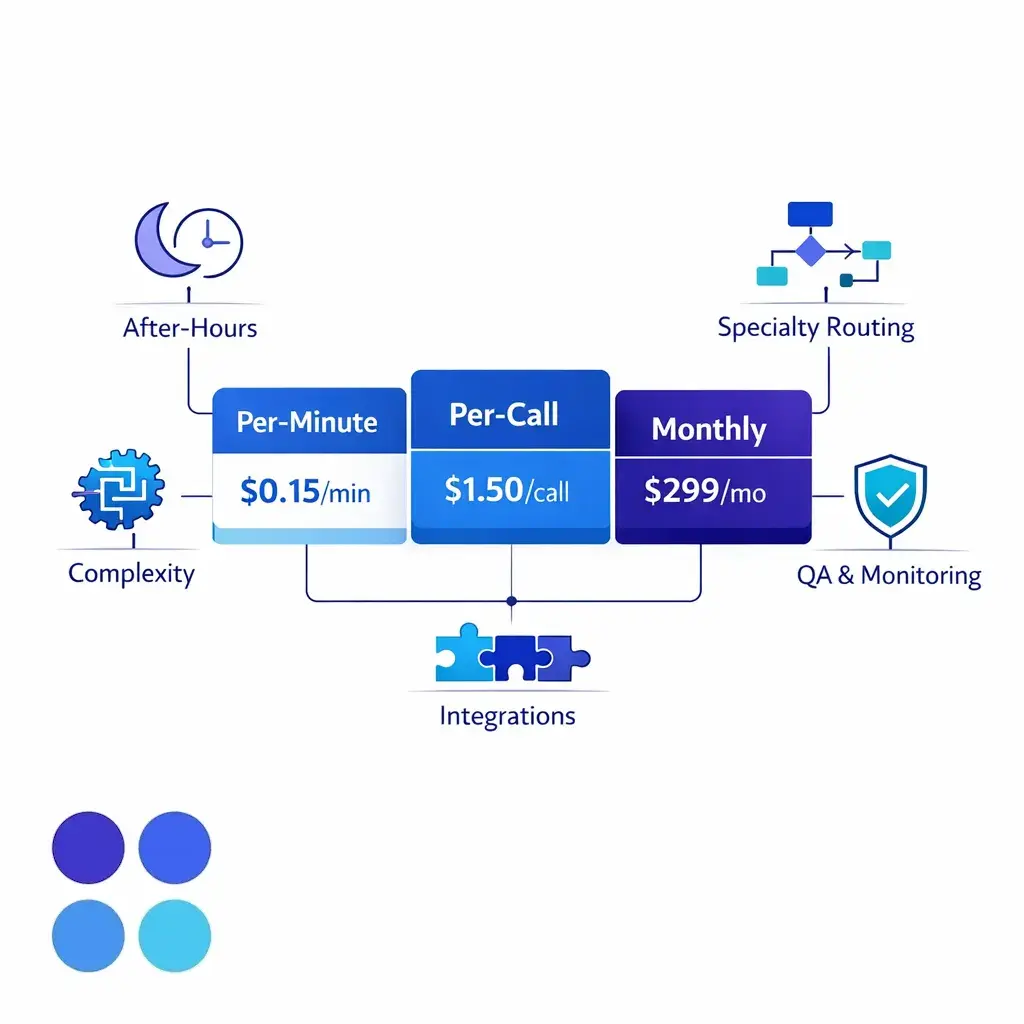
Medical answering pricing usually falls into per-minute, per-call, or monthly models. None is automatically better — the right fit depends on call length, volume, and how much support you need.
Each option solves a different problem. The right choice depends on whether your pain point is in-office coordination, overflow coverage, after-hours availability, or workflow consistency across a larger footprint.
Many organizations use more than one model. They keep the in-house team focused on clinic operations and patient-facing work during the day, then use a healthcare answering service to absorb spikes, cover off-hours, and normalize quality across sites.
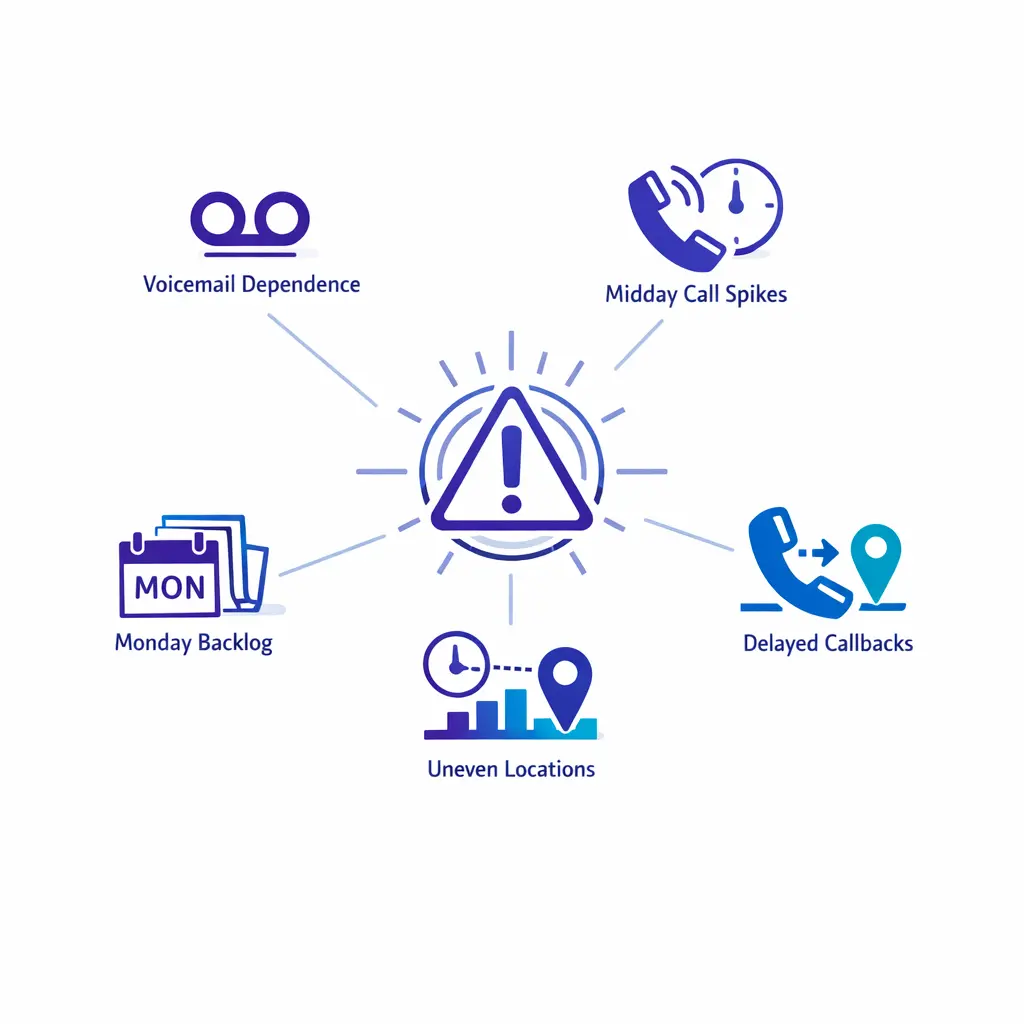
Overflow warning signs show up early: voicemail dependence, midday spikes, Monday backlogs, delayed callbacks, and uneven handling between locations. They signal a need for stronger coverage design.
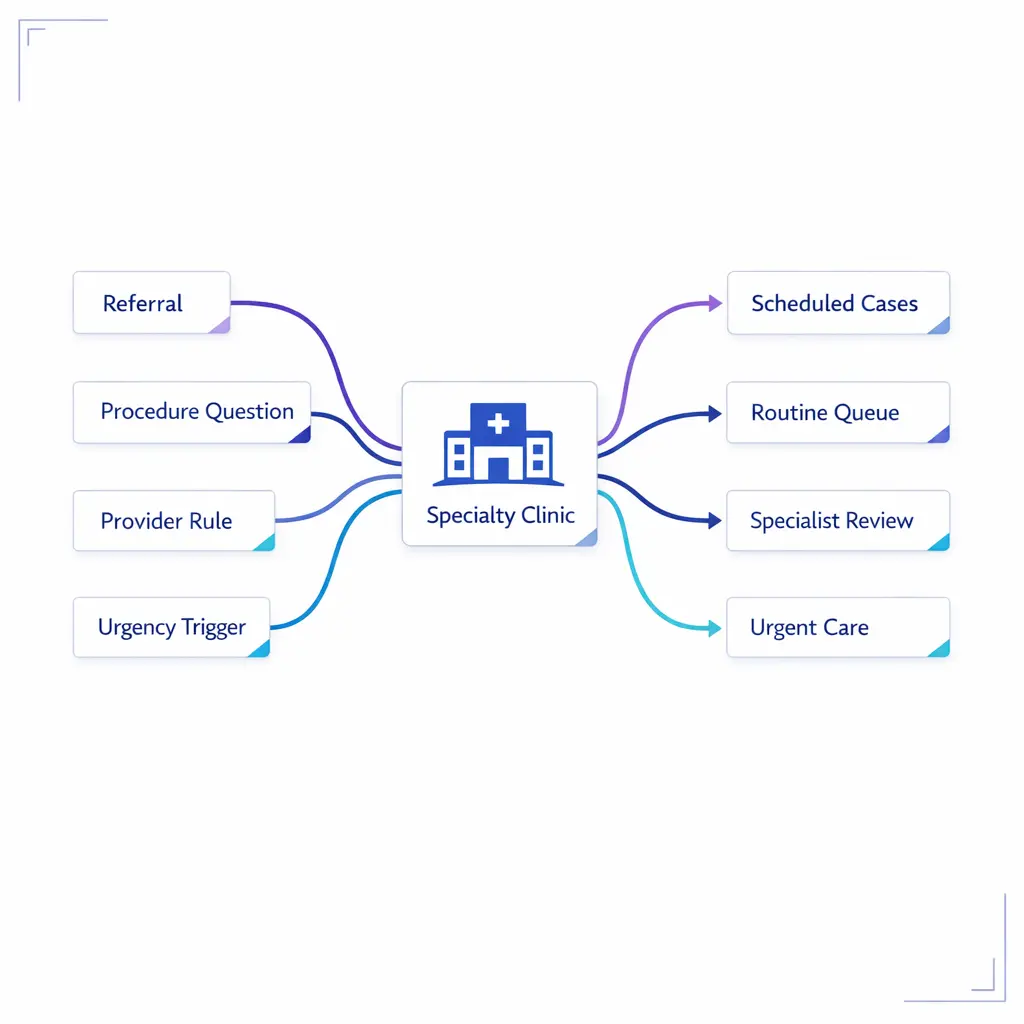
Specialty clinics need nuanced routing, not just more phone staff. Scripts should distinguish referrals, procedure questions, provider-specific scheduling rules, and urgency triggers instead of one queue.
Most medical answering service comparisons get crowded with features that sound similar. A better evaluation method is to ask whether the provider can reliably execute your specific call flows, not whether it offers the longest checklist.
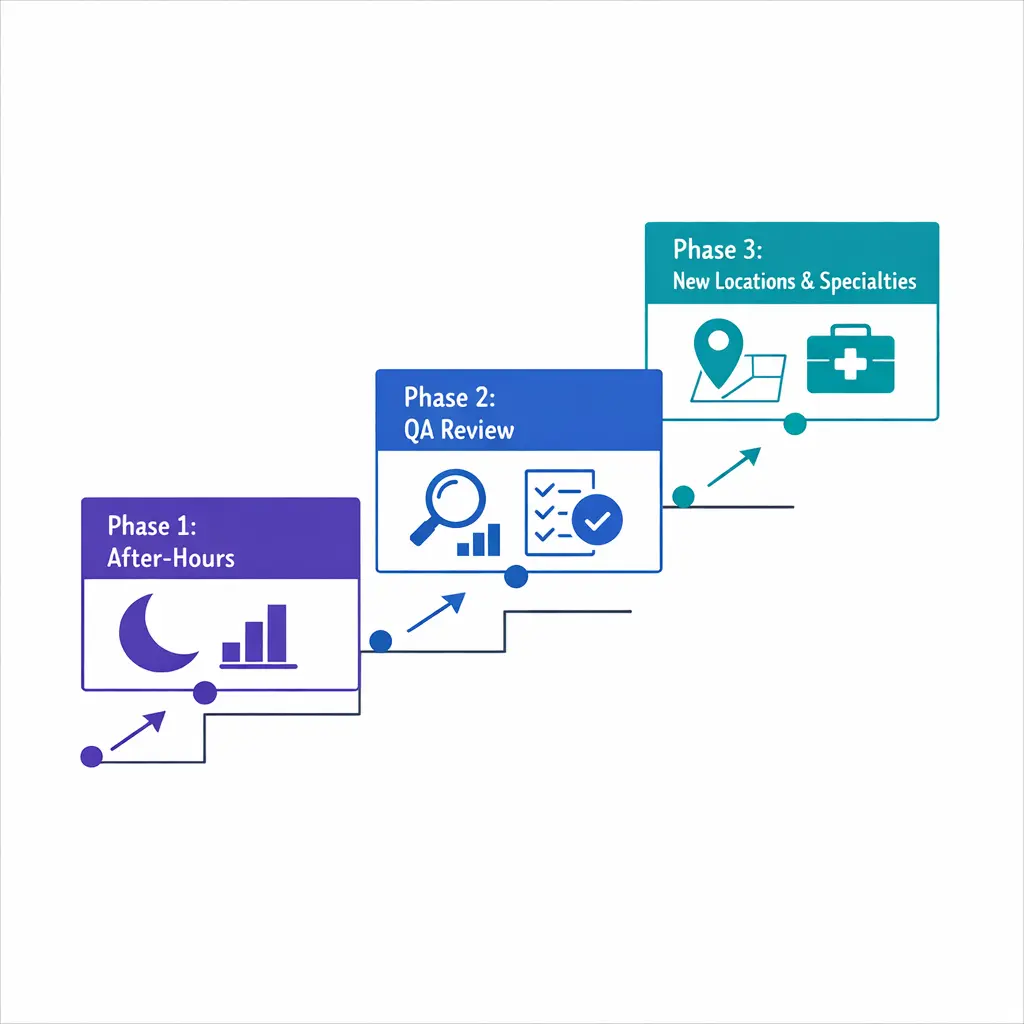
Pilot before full rollout. Start with overflow or after-hours, measure message quality, then expand by location and specialty once the workflow proves itself.
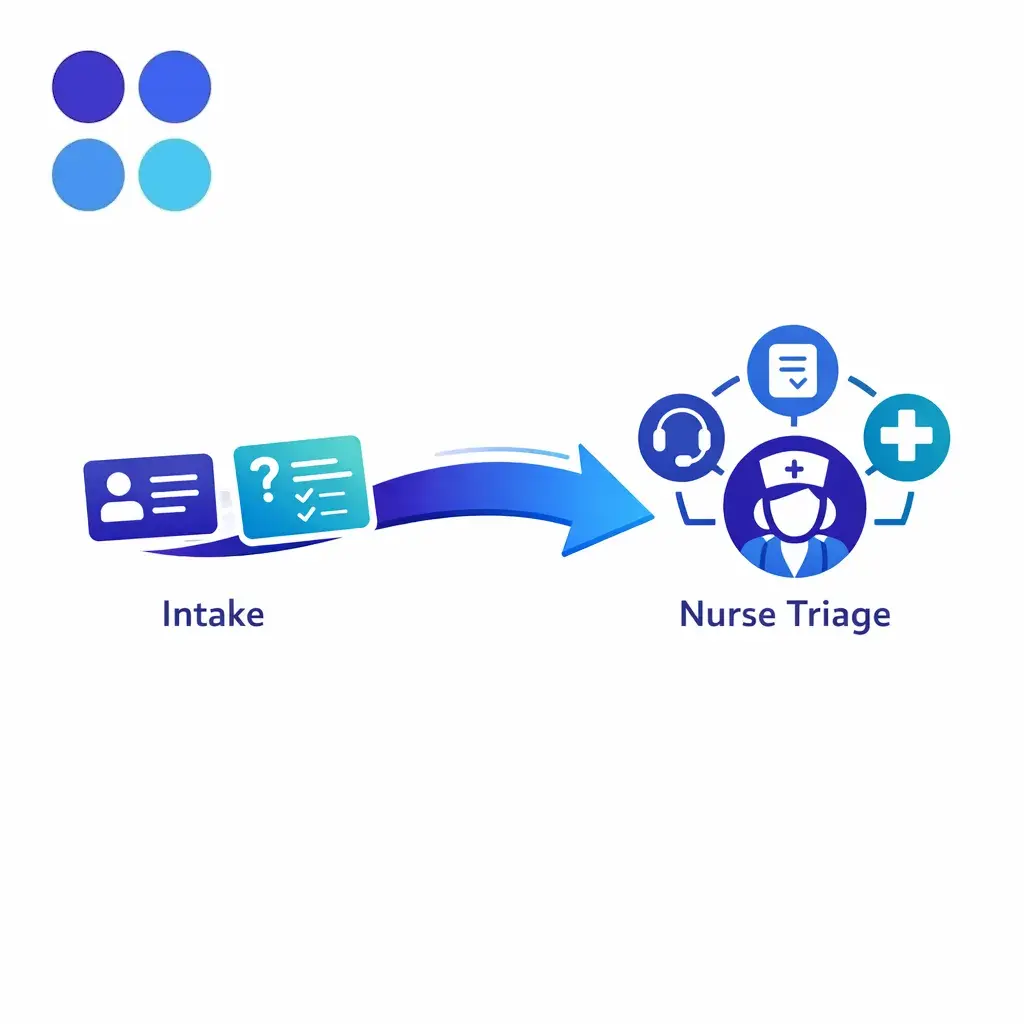
Many answering services do not provide clinical judgment. They support nurse triage by collecting the right non-clinical details, following approved prompts, and handing off cleanly to a licensed resource.
Most medical answering service pricing falls into three broad models. Some vendors charge by minutes used, some by calls handled, and some offer a monthly structure that bundles a defined level of coverage with overage rules.
None of these models is automatically better. Per-minute plans can work well for short, tightly scripted interactions. Per-call models can be easier to forecast for simpler workflows. Monthly structures often make sense when the practice needs broader availability, more operational support, or a steadier budget framework.
Healthcare workflows usually cost more than simple message taking because the work is more structured. The price tends to rise when the service has to support more complexity, more exceptions, or more accountability.
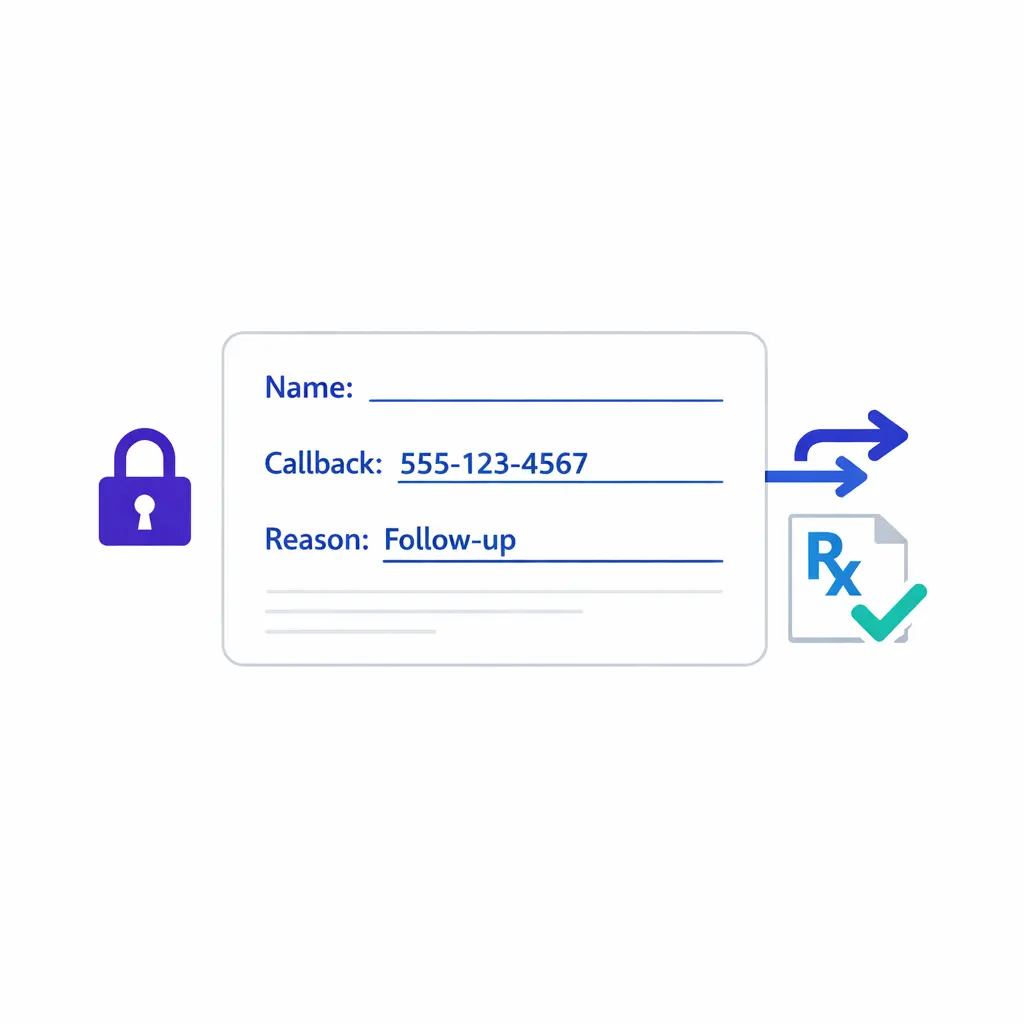
Collect only what the next step requires. Minimum-necessary intake — name, callback, reason — keeps healthcare call handling narrow, controlled, and easier to route safely.
Primary care practices tend to see a broad mix of routine and urgent calls. A medical answering service helps separate appointment requests, refill follow-up, nurse messages, same-day needs, and after-hours concerns so the in-house team can stay focused on patient flow during the day.
Specialty clinics often need more nuanced intake and routing. The answer is not always more staff at the phones. It is often better call design, with scripts that distinguish referrals, procedure questions, provider-specific scheduling rules, and urgency triggers without forcing every call into the same queue.
These practice types often benefit from strong after-hours structure because call urgency can shift quickly. Pediatric concerns, dental pain, pregnancy-related questions, and location-specific schedule changes all put pressure on the handoff process.
For multi-location groups, consistency becomes the real advantage. A medical office answering service can centralize the response standard while still giving each site the routing rules it needs.
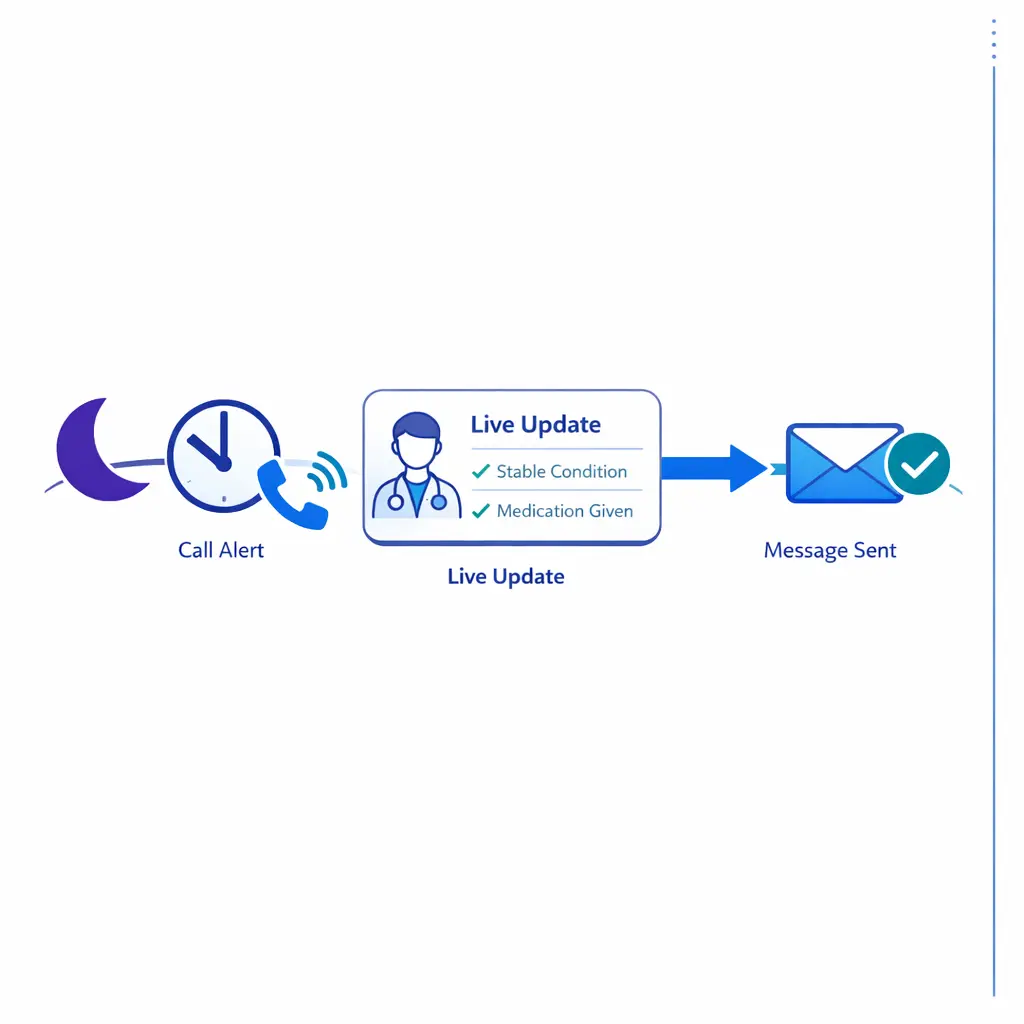
After-hours coverage reduces patient uncertainty. Even when the next step is a scheduled callback or a documented on-call message, a live interaction gives the patient clarity instead of voicemail.
Overflow is not just a staffing inconvenience. It is an access problem when patients cannot reach the practice in a reasonable way, when callbacks drift, or when urgent and routine requests pile into the same inbox.
Warning signs are usually operational before they become reputational. Repeated voicemail dependence, midday call spikes, Monday morning backlogs, slow referral response, and uneven handling between locations all suggest the practice needs stronger call coverage design.
If call volume is unpredictable, extended-hour hiring can be inefficient. An after-hours medical answering service is often the better first move when the practice needs broader coverage quickly, wants to test demand before adding headcount, or needs a more uniform process across providers and locations.
It is also a useful option when leadership wants measurable improvement without redesigning the entire front desk at once. Many organizations start with nights, weekends, or overflow, then expand only after the workflow proves itself.
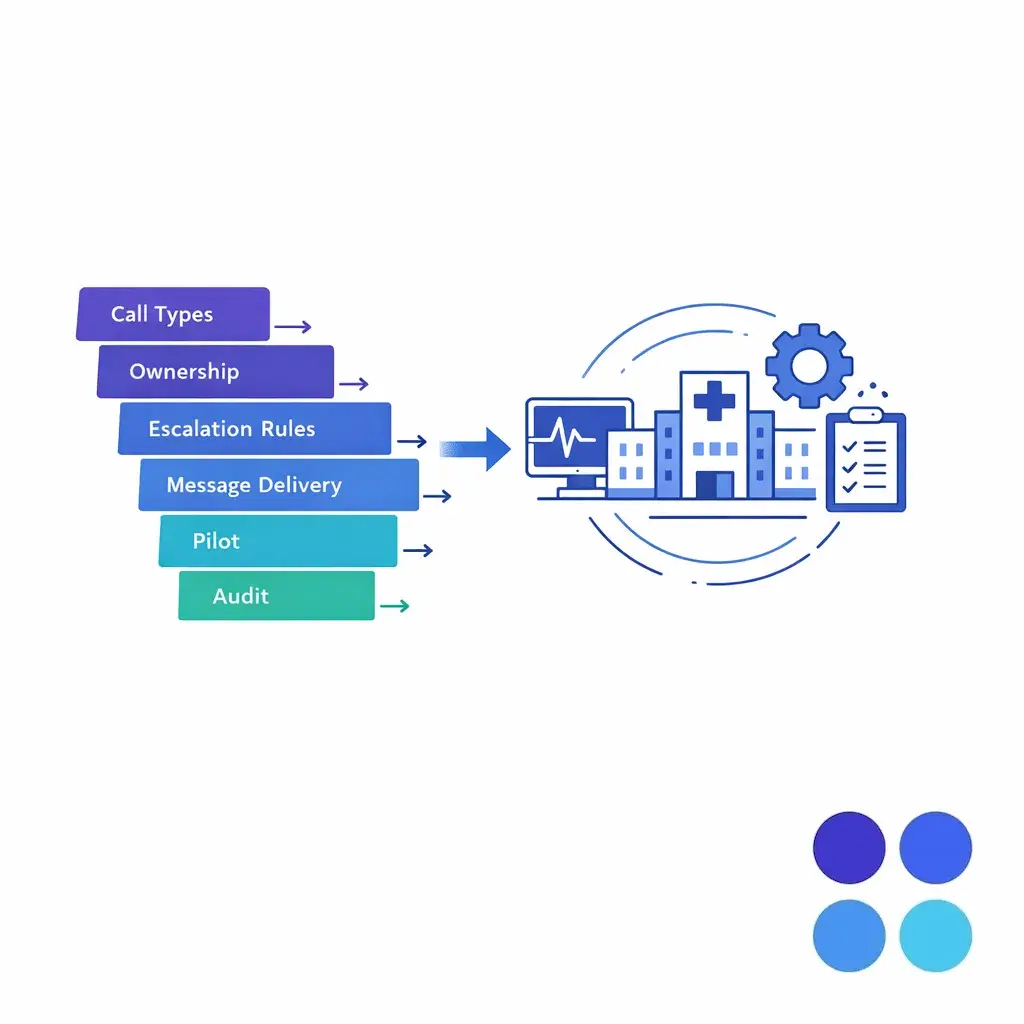
Map the workflow before you commit: call types, ownership, escalation rules, message delivery, and a pilot. Start with overflow or after-hours, then expand by location and specialty.
Yes, if the workflow is intentionally designed for intake and not just message taking. That usually means approved scripts, defined data fields, a clear handoff path, and quality review so the practice receives usable information instead of vague call notes.
It can support both, but usually in different ways. Scheduling may involve direct booking, request capture, or appointment qualification. Triage support is typically structured around approved prompts, symptom capture, and escalation to the practice's clinical or on-call resource.
Cost depends on call volume, handle time, after-hours share, number of locations, script complexity, escalation rules, and reporting expectations. A simple overflow program and a highly customized physician answering service may look similar from the outside but require very different operating models.
If your team is comparing a medical answering service, a healthcare answering service, or a more structured after-hours coverage model, Go Answer can help you think through call flows, escalation rules, intake quality, and operational fit before you commit.
Request Pricing if you already know your coverage needs. If you want to map the workflow first, Book a Discovery Call. Prefer a direct conversation about specialty routing, patient intake, or overflow design? Talk to a Specialist.

Learn why thousands of companies rely on Go Answer.
Try us risk-free for 14 days!
Enjoy our risk-free trial for 14 days or 200 minutes, whichever comes first.
Have more questions? Call us at 888-462-6793
Learn why thousands of companies rely on Go Answer.
Have more questions? Call us at 888-462-6793
If you would like to get in contact with a Go Answer representative please give us a call, chat or email.

Thanks for your interest!
A representative will be reaching out to you shortly.
Have more questions? call us on 888-462-6793
